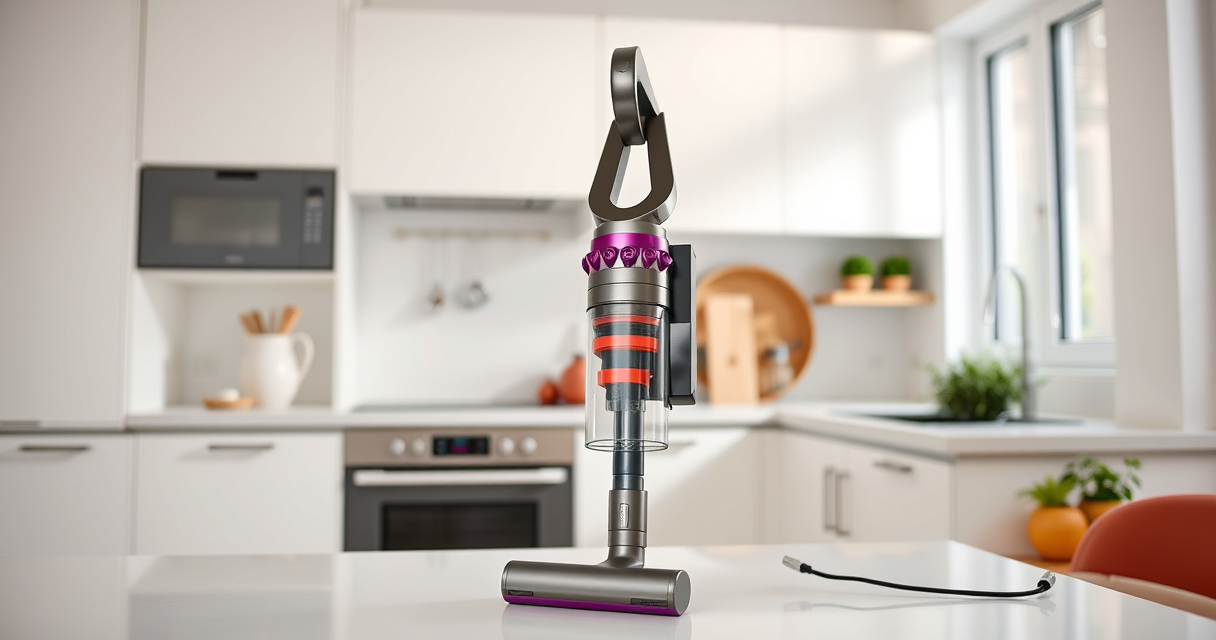
If your Dyson V15 Detect™ Origin Cordless Vacuum is pulsing on and off, it can be frustrating and hinder your cleaning. This issue often indicates a problem with filters, battery, or obstructions. Fortunately, many common causes are simple to diagnose and fix, helping your vacuum run smoothly again.
Follow these practical steps to troubleshoot and resolve the pulsing problem effectively, safely, and without professional help.
Key Takeaways
| Check for Blockages | Ensure no obstructions in the wand or cleaner head. |
| Inspect and Replace Filters | Dirty filters can cause the vacuum to pulsing, so keep them clean. |
| Examine Battery and Connections | Loose connections or a failing battery may trigger pulsing. |
| Reset and Test | Reset the vacuum after maintenance and test for continuous operation. |

Dyson V15 Detect™ Origin Cordless Vacuum
- Deep cleaning with intelligent detection: Reveals invisible dust for thorough cleaning
- Enhanced power and runtime: 100% more power, 60-minute battery life
- Energy-efficient power trigger: Uses power only when needed
As an affiliate, we earn on qualifying purchases.
Step 1: Power Off and Unplug
Before starting any troubleshooting, turn off the vacuum and unplug it if it is charging. This ensures safety and prevents accidental activation during inspection.
Step 2: Check for Blockages
- Remove the cleaner head and inspect for debris or hair that might be clogging the airflow.
- Check the wand and extension tubes for obstructions.
- Clear any blockages carefully, ensuring nothing is stuck in the nozzle or hose.
Step 3: Clean or Replace Filters
Dirty filters can cause the vacuum to pulse as airflow is restricted. Remove the pre-filter and main filter from the vacuum. Rinse the filters with water and let them air dry completely for at least 24 hours before reinstalling. If filters are damaged or very worn, replace them with compatible filters.
Step 4: Check Battery and Connections
Ensure the battery is securely connected. If your vacuum has a removable battery, take it out and reinsert it firmly. Inspect for any damage or corrosion on connections. If the battery shows signs of failure, consider replacing it with a compatible one.
Step 5: Reset and Test
- After cleaning filters and checking connections, turn the vacuum back on.
- Run the vacuum on different floor types and power modes to see if the pulsing persists.
- If the issue remains, perform a reset if your model supports it (refer to the manual).
The Products in This Guide

Dyson V15 Detect™ Origin Cordless Vacuum
- ✔ Battery: Removable lithium-ion
- ✔ Filter: Washable pre and main filters
- ✔ Weight: Less than 7 lbs

LANMU Crevice Tool Vacuum Attachments Compatible
- ✔ Length: Approximately 10 inches
- ✔ Material: Polycarbonate
- ✔ Weight: Less than 0.5 lbs
Dyson V15 Detect™ Origin Cordless Vacuum
The Dyson V15 Detect™ Origin Cordless Vacuum is engineered for powerful, intelligent cleaning. Its features like the LCD screen and advanced heads make it versatile, but like all electronics, it can encounter issues such as pulsing. Regular maintenance and proper troubleshooting can keep it performing at its best.
Pros:
- Powerful suction and intelligent features
- Long battery life of 60 minutes
- Multiple cleaning heads for various surfaces
- Easy to convert to handheld
Cons:
- Can be sensitive to filter clogging
- Battery replacement may be needed over time
- Some users report pulsing if not maintained properly
Best for: Whole-home deep cleaning, pet hair removal, hard floors, and carpets
Not ideal for: If frequently experiencing technical issues without maintenance, consider professional repair
Bottom line: The Dyson V15 Detect is a powerful, smart vacuum that benefits from regular maintenance to prevent pulsing issues.
LANMU Crevice Tool Vacuum Attachments Compatible
This LANMU crevice tool attachment is compatible with Dyson models like the V15 Detect. Its slim and flexible design makes it easier to clear dust from tight corners, cracks, and narrow spaces, enhancing your cleaning efficiency.
Pros:
- Narrow nozzle for precision
- Easy to attach and use
- Perfect for car interiors and edges
- Durable construction
Cons:
- Not compatible with all Dyson models
- Requires extra storage space
- May be less effective on large debris
Best for: Cleaning corners, edges, and tight spots in home or car
Not ideal for: For general cleaning, a larger attachment may be more suitable
Bottom line: This crevice tool enhances your Dyson vacuum’s reach into tight spaces for comprehensive cleaning.
Frequently Asked Questions
Why does my Dyson vacuum pulse on and off?
This often indicates airflow restrictions, dirty filters, or battery connection issues. Regular maintenance usually resolves the problem.
How often should I clean or replace the filters?
Filters should be cleaned every 1-3 months. Replace filters if they show signs of damage or if cleaning does not restore performance.
Can I reset my Dyson vacuum to fix pulsing?
Some models support a reset function—check your manual. Typically, turning it off, cleaning filters, and then restarting can help.
Is it safe to rinse the filters with water?
Yes, most Dyson filters are washable. Ensure they are completely dry before reinstalling to avoid damage or mold growth.
Keep Your Dyson Running Smoothly with Regular Care
Regularly inspecting and maintaining your Dyson V15 Detect™ Origin Cordless Vacuum can prevent pulsing issues and extend its lifespan. Simple steps like cleaning filters, checking for obstructions, and ensuring proper connections will keep your vacuum performing at its best. When in doubt, replacing filters and parts with compatible accessories ensures continued efficiency and deep cleaning power.
Affiliate disclosure: As an Amazon Associate we earn from qualifying purchases. Prices and availability are accurate as of the time of publishing.