
If your Dyson V15 Detect™ Origin Cordless Vacuum is losing suction or has no power, it can be frustrating. This guide walks you through common causes and simple, safe fixes to restore optimal performance.
Regular maintenance and troubleshooting can prevent prolonged downtime. Follow these steps carefully to identify the problem and get your Dyson back to cleaning efficiently.
Key Takeaways
| Clogged filters or tubes | Filters or tubes may be blocked, reducing suction. |
| Full or damaged bin | A full or damaged bin can impair airflow. |
| Motor or brush issues | Motor or brush head problems can lead to no suction. |
| Battery or power problems | Battery or power triggers might be malfunctioning. |
| Maintenance needed | Filters and parts may need cleaning or replacement. |

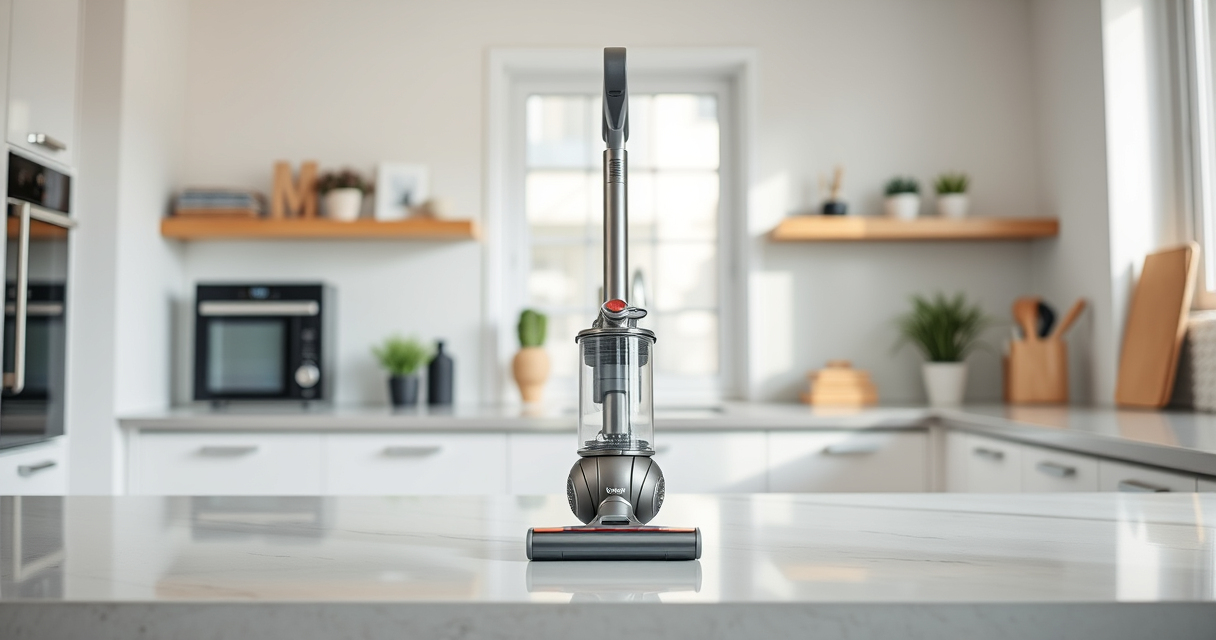
Dyson V15 Detect™ Origin Cordless Vacuum
Powerful and intelligent for whole-home deep cleaning. Reveals invisible dust.
As an affiliate, we earn on qualifying purchases.
Step 1: Power Off & Unplug
Before troubleshooting, ensure the vacuum is turned off and unplugged from the charging station or wall outlet. Safety first to prevent electrical hazards or accidental activation.

LANMU Crevice Tool Vacuum Attachments Compatible with Dyson V15 V12 V11 V10 V9 V8 V7 Gen5 Outsize Vacuum Cleaner, Narrow Nozzel Replacement Parts for Hard-to-Reach Space
Wide Compatibility: This crevice tool attachment is compatible with V15 V12 V11 V10 V9 V8 V7 Gen5 G5...
As an affiliate, we earn on qualifying purchases.
Step 2: Check for Blockages
- Inspect the main wand, cleaner head, and hose for obstructions. Detach the cleaner head and remove any debris or tangled hair.
- Remove the dustbin and check for clogs in the inlet or outlet. Clear any debris you find.
- Use a flashlight if needed to spot hidden blockages inside tubes or filters.
Step 3: Clean or Replace Filters
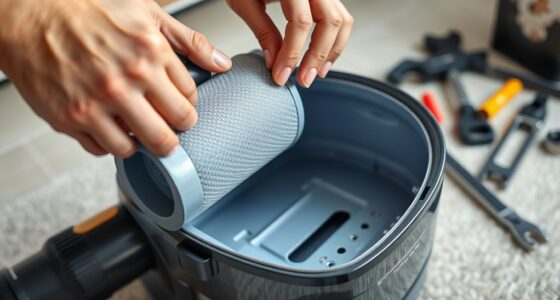
Dirty or clogged filters can significantly reduce suction. Remove the pre-filter and main filter, rinse them thoroughly with water, and let them air dry completely before reinstalling. Replace filters if they are damaged or heavily soiled.
Step 4: Empty & Inspect Dustbin
Empty the dustbin and check for cracks or damage. Ensure the dustbin is seated correctly when reassembled. A full or damaged bin can restrict airflow and reduce suction.
Step 5: Check the Brush Head & Motor
Ensure the brush head spins freely and is free of tangled hair or debris. If the brush or motor seems faulty, consult the user manual or contact Dyson support for repair options.
Tips & Warnings
- Always disconnect from power before cleaning or replacing parts.
- Do not use harsh chemicals to clean filters; rinse with water only.
- Regularly check for wear and tear on parts, replacing as needed.
- If suction issues persist after these steps, contact Dyson customer support.
The Products in This Guide

Dyson V15 Detect™ Origin Cordless Vacuum
- ✔ Battery Type: Lithium-ion
- ✔ Charging Time: 3.5 hours
- ✔ Warranty: 2 years

LANMU Crevice Tool Vacuum Attachments Compatible
- ✔ Nozzle Width: Approx. 1 inch
- ✔ Material: Plastic
- ✔ Color: Black
Dyson V15 Detect™ Origin Cordless Vacuum
The Dyson V15 Detect™ Origin offers exceptional cleaning with intelligent features, revealing invisible dust and adapting power to debris and floor type. Regular maintenance is key to keeping it performing at its best.
Pros:
- Powerful suction
- Intelligent debris detection
- Long battery life
- Multiple cleaning heads
Cons:
- Filters require regular cleaning
- Can be heavy for some users
- Pricey replacement filters
Best for: Deep cleaning of all floor types, pet hair removal, hard-to-reach areas.
Not ideal for: Users seeking budget-friendly options or very lightweight vacuums.
Bottom line: A high-performance cordless vacuum ideal for comprehensive home cleaning.
LANMU Crevice Tool Vacuum Attachments Compatible
The LANMU Crevice Tool Vacuum Attachments are compatible with Dyson models, including the V15, and help reach narrow spots, making cleaning more thorough and convenient.
Pros:
- Narrow, flexible nozzle
- Easy to attach
- Ideal for small spaces
- Versatile applications
Cons:
- Adds extra attachment to store
- May be necessary to buy separately
- Limited to crevice cleaning
Best for: Cleaning edges, corners, car interiors, and tight spaces.
Not ideal for: Large debris pickup or heavy-duty cleaning.
Bottom line: A handy tool to access tricky areas for a thorough clean.
Frequently Asked Questions
Why is my Dyson vacuum losing suction?
Common causes include clogged filters, full dustbin, blockages in tubes or wand, or malfunctioning parts. Follow the troubleshooting steps to identify and fix the issue.
How often should I clean or replace filters?
Filters should be rinsed with water every 2-3 months, or as needed. Replace filters if they are damaged or heavily soiled to maintain suction.
Can I use my Dyson without filters?
No, filters are essential for trapping dust and debris and maintaining suction. Always ensure filters are clean and properly installed.
What do I do if my vacuum still has no suction after troubleshooting?
If problems persist, contact Dyson customer support or a qualified repair technician. Do not attempt to fix internal components yourself.
Keep Your Dyson V15 Detect Performing at Its Best
Regular maintenance and prompt troubleshooting can prevent suction problems and ensure your Dyson cordless vacuum continues to deliver powerful cleaning. Follow the step-by-step tips outlined here for safe and effective fixes, and enjoy a cleaner home with minimal fuss.
Affiliate disclosure: As an Amazon Associate we earn from qualifying purchases. Prices and availability are accurate as of the time of publishing.