Maintaining your Dyson V15 Detect™ Origin cordless vacuum is essential to ensure it performs at its best and lasts for years. Regular upkeep not only keeps the suction power strong but also prevents common issues like reduced runtime or poor cleaning efficiency. This guide provides clear, practical steps to clean, troubleshoot, and replace parts safely and effectively, helping you get the most out of your powerful cleaning tool.

Get cleaning gear delivered free with Prime
- Fast, free delivery on millions of items
- Prime Video, Amazon Music and more included
- Member-only deals all year
Whether you’re new to Dyson or a seasoned user, following these maintenance routines will keep your vacuum running smoothly and help you troubleshoot issues quickly. Let’s dive into the essential maintenance tasks and tips to keep your Dyson V15 Detect™ Origin in top condition.
Key Takeaways
| Regular filter cleaning extends vacuum lifespan | Clean filters every 2-3 months for optimal suction. |
| Empty the bin frequently | Prevent clogging and maintain cleaning performance. |
| Check and clean the cleaner heads | Remove hair and debris to prevent blockages. |
| Replace filters periodically | Use compatible filters to restore peak performance. |
| Troubleshoot common issues promptly | Identify power, suction, or battery problems early. |
Cleaning and Maintaining the Vacuum Bin
- Turn off and unplug your Dyson vacuum before cleaning the bin.
- Press the bin release button to detach the bin from the main body.
- Hold the bin over a trash can and press the bin release latch to empty it.
- Use a damp cloth to wipe the inside of the bin if needed, avoiding submerging it in water.
- Reattach the bin securely to the vacuum body before use.
Regular emptying prevents clogging and maintains suction power. Be gentle to avoid damaging the release latch or bin components.
Cleaning or Replacing Filters
The Dyson V15 Detect™ Origin uses advanced filters that need regular cleaning or replacement for best performance. Dirty filters restrict airflow and reduce suction.
- Remove the filter(s) from the vacuum, following the user manual for specific instructions.
- Rinse the filter(s) under cold water until the water runs clear. Do not use soap or detergents.
- Gently squeeze out excess water and let the filter air dry completely—preferably for 24 hours—before reinstalling.
- If replacing filters, choose compatible options like the 3Pack Pre Filters Replacement or the Replacement V10 Filters, depending on your model.
Replace filters every 2-3 months or when you notice reduced suction. Always ensure filters are dry before reinsertion to prevent mold or damage.
Cleaning the Cleaner Heads and Attachments
The cleaner heads, such as the Digital Motorbar and Fluffy Optic, can accumulate hair, dust, and debris, affecting cleaning efficiency.
- Detach the cleaner head from the vacuum body.
- Remove any hair or threads wrapped around the brush bar manually or with scissors.
- Use a damp cloth or a small brush to clean the brush bar and surrounding areas.
- Check the nozzles and air pathways for blockages and clear them with a thin tool or cloth.
- Reattach the cleaner head securely before use.
Regular cleaning of these components ensures optimal dirt pickup and prevents motor strain.
Troubleshooting Common Problems
If your Dyson V15 Detect™ Origin isn’t performing as expected, try these quick troubleshooting steps:
- No power or unresponsive: Check the battery charge level and ensure the vacuum is properly connected. Reset the vacuum if needed.
- Reduced suction: Empty the bin, clean or replace filters, and check for blockages in the cleaner head and wand.
- Battery issues: Ensure the battery is fully charged. If the runtime is significantly shorter, consider replacing the battery or contacting Dyson support.
- Unusual noises or vibrations: Inspect the motor and brush bar for obstructions or debris. Clean thoroughly.
Persistent problems may require professional servicing or contacting Dyson customer support for further assistance.
Recommended Attachments for Enhanced Cleaning
For hard-to-reach spots and detailed cleaning, consider adding the LANMU Crevice Tool Vacuum Attachments. Compatible with Dyson models like the V15, it features a narrow nozzle and flexible design to access tight corners, sofa cushions, car interiors, and more. Using the right attachments can significantly improve your cleaning efficiency in tricky spaces.
The Products in This Guide

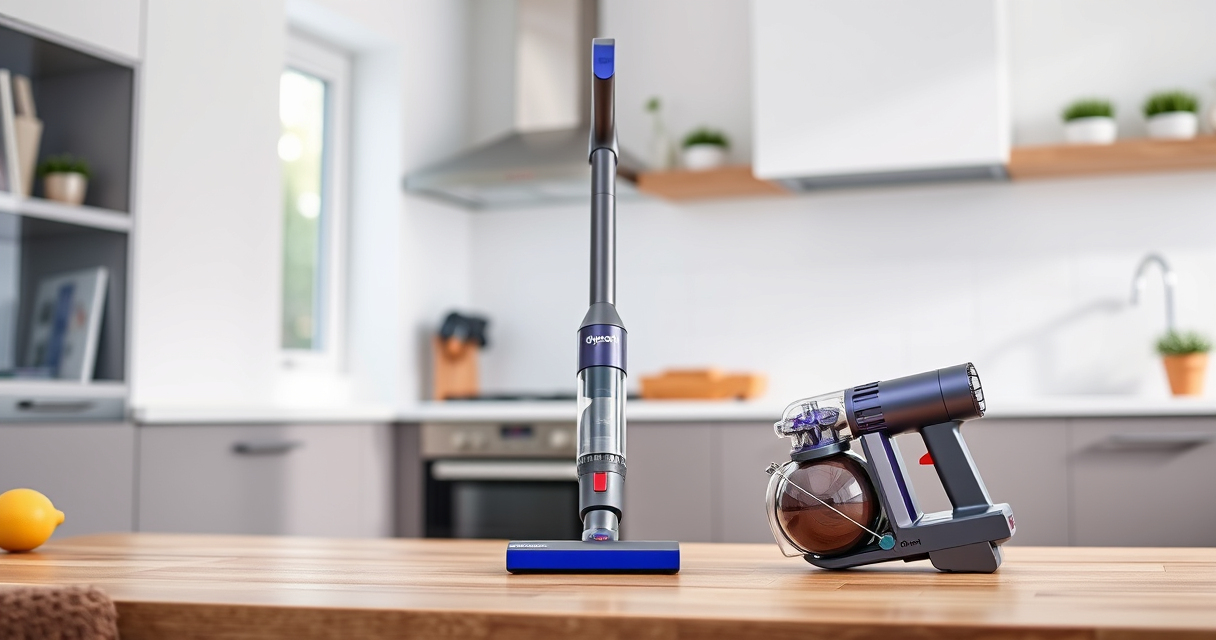
Dyson V15 Detect™ Origin Cordless Vacuum
- ✔ Weight: 6.8 lbs
- ✔ Battery life: Up to 60 minutes
- ✔ Filter type: HEPA

LANMU Crevice Tool Vacuum Attachments Compatible
- ✔ Length: 15 inches
- ✔ Compatibility: Multiple Dyson models
- ✔ Material: Plastic
Dyson V15 Detect™ Origin Cordless Vacuum
<p>The Dyson V15 Detect™ Origin Cordless Vacuum offers unmatched cleaning performance with its intelligent features, powerful suction, and advanced cleaner heads. Regular maintenance is essential to keep it operating at peak efficiency, and following proper cleaning and troubleshooting routines will extend its lifespan.</p>
Pros:
- Powerful suction with up to 100% more power
- Intelligent power adjustment based on debris
- Long-lasting 60-minute runtime
- Advanced cleaner heads for various surfaces
Cons:
- Requires regular filter cleaning
- May need filter replacements over time
- Slightly heavier than basic models
Best for: Deep cleaning homes with pets, hard floors, and carpeted surfaces
Not ideal for: Light-duty or quick cleanups, or for users preferring corded vacuums
Bottom line: With proper maintenance, your Dyson V15 Detect™ Origin will deliver exceptional cleaning performance for years.
LANMU Crevice Tool Vacuum Attachments Compatible
<p>The LANMU Crevice Tool Vacuum Attachments is a versatile accessory compatible with Dyson V15 and other models, designed to reach tight corners, gaps, and upholstery with ease. Its slim profile allows for precise cleaning in difficult spots, enhancing your vacuuming experience.</p>
Pros:
- Narrow nozzle for tight spaces
- Flexible and easy to maneuver
- Compatible with multiple Dyson models
- Helps remove dust from car interiors and furniture
Cons:
- May require additional storage space
- Not suitable for large debris
- Limited to crevice cleaning
Best for: Detail cleaning in homes and cars
Not ideal for: Deep cleaning large surfaces or carpets
Bottom line: A useful addition for detailed and hard-to-reach cleaning tasks.
Frequently Asked Questions
How often should I clean or replace the filters in my Dyson V15 Detect™?
It is recommended to clean the filters every 2-3 months and replace them if they become damaged or worn out. Use compatible filters like the 3Pack Pre Filters Replacement or V10 filters for best results.
Why is my Dyson vacuum losing suction even after cleaning?
Reduced suction can be caused by a full bin, clogged filters, or blockages in the cleaner head or wand. Empty the bin, clean or replace filters, and check for obstructions to restore suction.
Can I wash the filters in my Dyson V15?
Yes, most filters are washable. Rinse them under cold water until clear, gently squeeze out excess water, and let them air dry completely before reinstalling.
What should I do if my vacuum is not turning on?
Check the battery charge, ensure the vacuum is properly assembled, and press the power button firmly. If it still doesn’t turn on, reset the vacuum or contact Dyson support.
How can I extend the battery life of my Dyson cordless vacuum?
Keep the battery charged between uses, avoid letting it fully discharge frequently, and store the vacuum in a cool, dry place. Replacing the battery can also help if runtime diminishes significantly.
Keep Your Dyson V15 Detect™ Origin in Peak Condition
Regular maintenance is key to ensuring your Dyson cordless vacuum delivers powerful, efficient cleaning. By following these step-by-step cleaning, filter management, and troubleshooting tips, you can prolong its lifespan and enjoy consistently excellent results. Remember, a well-maintained vacuum not only cleans better but also saves you money on repairs and replacements over time.
Affiliate disclosure: As an Amazon Associate we earn from qualifying purchases. Prices and availability are accurate as of the time of publishing.
Fall Picks
fall essentials
As an affiliate, we earn on qualifying purchases.