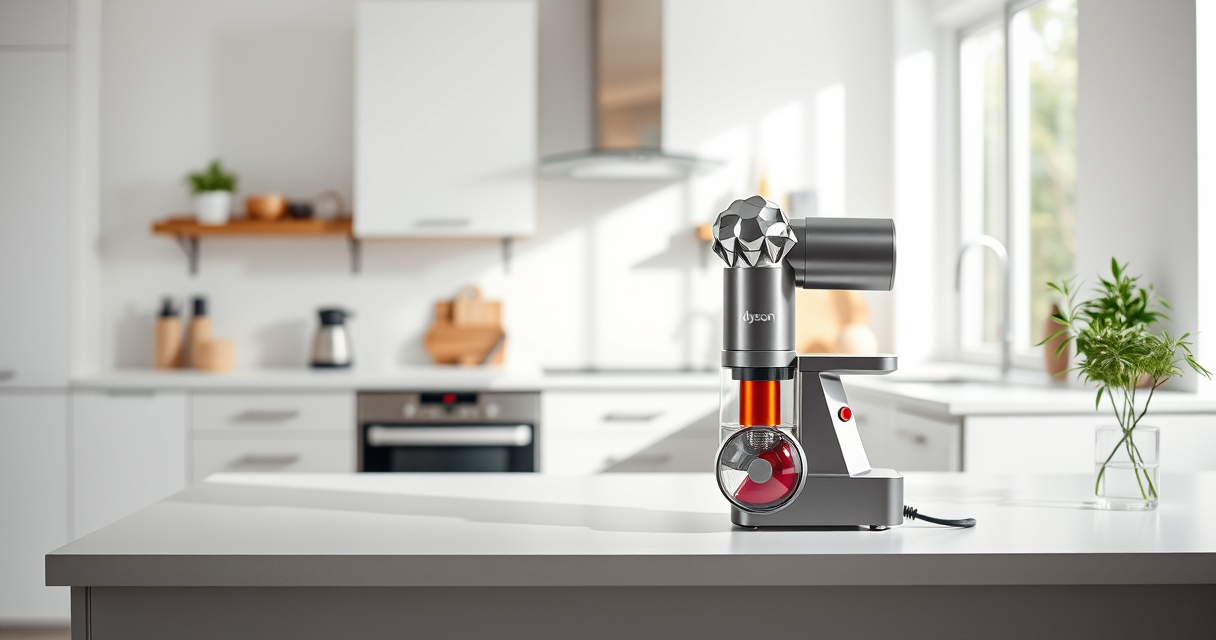

Regular cleaning of your Dyson V12 Detect ensures optimal performance and longevity. Proper maintenance includes cleaning filters, emptying the bin, and inspecting attachments. Follow these clear, step-by-step instructions for safe and effective cleaning.
Before starting, gather necessary supplies like a damp cloth, replacement filters if needed, and attachments for hard-to-reach areas.
Key Takeaways
| Routine maintenance | Cleaning filters and emptying the bin keeps suction power high. |
| Use proper tools | Attach crevice tools for reaching narrow spots and corners. |
| Avoid water damage | Never immerse the motor or electronic parts in water. |
| Replace filters regularly | Filters should be rinsed and dried or replaced every few months. |

Dyson V15 Detect Total Clean Extra (Renewed Premium)
- Refurbished by Experts: Inspected, tested, renewed for quality
- Advanced Cleaning Technology: Reveals invisible dust for deep cleaning
- Enhanced Power and Runtime: 100% more power, 60-minute runtime
As an affiliate, we earn on qualifying purchases.
Step 1: Turn Off and Unplug the Vacuum
Before starting, ensure your Dyson V12 Detect is turned off and unplugged from the charging station to prevent accidental activation or damage.
Step 2: Empty the Dust Bin
- Hold the vacuum over a trash bin.
- Press the bin release button to detach the bin.
- Press the bin release latch to open and empty the contents.
- Reattach the bin securely.
Step 3: Clean the Filter
- Remove the pre-filter located at the cyclone chamber.
- Rinse the filter under cold water without using detergents.
- Allow it to air dry completely (at least 24 hours) before reinserting.
Step 4: Check and Clean Attachments
Detach any tools or attachments and clean them with a damp cloth. Use a crevice tool for hard-to-reach areas like corners or car seats.
Step 5: Inspect and Maintain the Motor and Sensors
Use a dry cloth to gently wipe electronic components. Avoid water contact to prevent damage. Regularly check for debris or obstructions in the cyclone and motor area.
The Products in This Guide
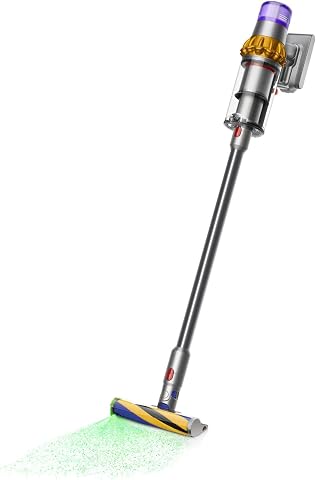
Dyson V15 Detect Total Clean Extra
- ✔ Battery Life: 60 mins
- ✔ Power: 100% more
- ✔ Filtration: Washable pre-filter

LANMU Crevice Tool Vacuum Attachments Compatible
- ✔ Compatibility: Multiple Dyson models
- ✔ Design: Slim and flexible
- ✔ Use Case: Corners and car interiors
Dyson V15 Detect Total Clean Extra
The Dyson V15 Detect Total Clean Extra is a refurbished powerhouse offering advanced cleaning features like laser dust detection and intelligent power adaptation. Regular cleaning ensures it stays at peak performance.
Pros:
- Powerful suction
- Advanced dust detection
- Long battery life
- LCD screen for diagnostics
Cons:
- Requires filter rinsing
- May need frequent filter replacements
- Some parts may be delicate
Best for: Whole-home deep cleaning and pet owners
Not ideal for: Users seeking a lightweight, minimal-maintenance vacuum
Bottom line: Keep your Dyson V15 at peak performance with regular cleaning and maintenance.
LANMU Crevice Tool Vacuum Attachments Compatible
The LANMU Crevice Tool Vacuum Attachments are compatible with Dyson models and ideal for reaching tight spots, corners, and car interiors. They make cleaning detailed areas easier.
Pros:
- Narrow nozzle for tight spaces
- Flexible and slim design
- Compatible with many Dyson models
- Effective for cars and furniture
Cons:
- Requires attachment fitting
- May not fit older models
- Plastic parts can be fragile
Best for: Cleaning corners, car interiors, and small gaps
Not ideal for: Heavy-duty cleaning of large surfaces
Bottom line: Great addition for detailed cleaning in tight spaces.
Frequently Asked Questions
Can I wash the filters of my Dyson V12 Detect?
Yes, the pre-filters are washable. Rinse them with cold water, let them air dry completely before reinserting.
How often should I replace the filters?
It is recommended to rinse and dry the filters every 2-3 months or when they appear dirty or clogged.
What should I do if my vacuum loses suction after cleaning?
Check and clean the filters, empty the dust bin, and inspect for blockages in the cyclone and attachments.
Is it safe to clean electronic parts with water?
No, avoid water contact with electronic components. Use a dry cloth for wiping these parts.
Maintaining Your Dyson V12 Detect for Optimal Performance
Regular cleaning and timely filter replacements keep your Dyson V12 Detect operating at its best. Follow these steps periodically to ensure deep cleaning, prolong the life of your vacuum, and maintain superior suction power. Proper maintenance not only enhances cleaning effectiveness but also saves you from costly repairs.
Affiliate disclosure: As an Amazon Associate we earn from qualifying purchases. Prices and availability are accurate as of the time of publishing.