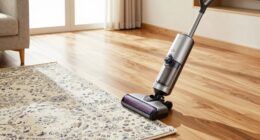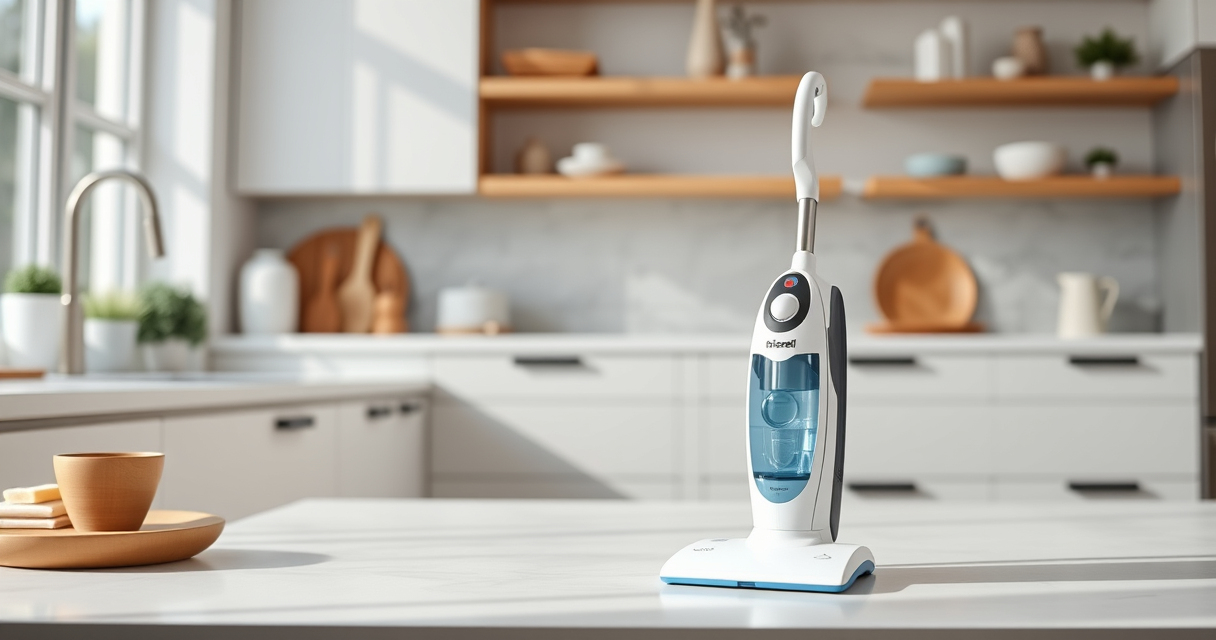

If your Bissell ProHeat 2X Revolution Pet Turbo is not spraying water or cleaning solution, it can hinder your cleaning routine. This common issue often results from clogs, blockages, or pump problems. Fortunately, with some simple steps, you can troubleshoot and restore your cleaner’s spray function without professional help.
Below, you’ll find detailed, safe, and practical instructions to identify and fix the problem, ensuring your carpet cleaner works efficiently again.
Key Takeaways
| Check for clogs | Blockages in hoses or nozzles are common causes. |
| Inspect the water tank | Ensure the tank is full, properly seated, and free of debris. |
| Examine the spray nozzle | Clean or replace if clogged to restore spray function. |
| Verify the pump operation | Listen for pump sounds during operation or test with alternative solutions. |
| Perform regular maintenance | Cleaning filters and parts prevents future issues. |

BISSELL ProHeat 2X Revolution Pet Turbo Upright Carpet Cleaner, 35799
- Powerful Suction: 40% more suction with TurboStrength motor
- Quiet Operation: 50% noise reduction for quieter cleaning
- Max Clean Mode: Removes dirt, stains, and allergens
As an affiliate, we earn on qualifying purchases.
Step 1: Turn Off and Unplug the Cleaner
Always unplug your Bissell carpet cleaner before performing any troubleshooting to ensure safety. Wait for all moving parts to stop before proceeding.
Step 2: Check the Water Tank and Solution Reservoir
- Remove the water tank from the cleaner.
- Ensure the tank is filled with water or cleaning solution, as required.
- Inspect the tank and its cap for blockages or debris that could hinder water flow.
- Re-seat the tank securely into the machine.
Step 3: Clear Clogs from Nozzles and Hoses
- Inspect the spray nozzles for any visible clogs or buildup.
- Use a small pin or needle to gently clear any obstructions.
- If your model has detachable hoses, remove and flush them with warm water.
Step 4: Check and Clean the Spray Nozzle
Remove the spray nozzle (refer to your user manual for specific instructions). Clean it with warm water and a soft brush to remove any residue. Reattach and test the spray function.
Step 5: Test the Pump and Internal Components
Plug in the cleaner, turn it on, and set it to MAX CLEAN mode. Listen for the pump’s sound. If no water sprays, the pump might be clogged or faulty. In this case, consider contacting a professional or replacing the pump if needed.
The Products in This Guide

BISSELL ProHeat 2X Revolution Pet Turbo Upright Carpet C
- ✔ Weight: 19 pounds
- ✔ Cord Length: 25 feet
- ✔ Tank Capacity: 1.25 liters

JORAIR Brush Replacement Compatible
- ✔ Number of pieces: 7 total in package
- ✔ Color: White and gray
- ✔ Weight: 1.2 pounds
BISSELL ProHeat 2X Revolution Pet Turbo Upright Carpet C
The BISSELL ProHeat 2X Revolution Pet Turbo offers powerful cleaning with advanced features like TurboStrength Motor Technology and Dual DirtLifter PowerBrushes. It’s designed to handle embedded dirt, stains, and allergens effectively, making it ideal for pet owners and heavy-duty cleaning.
Pros:
- 40% more suction power
- Quiet operation with noise reduction
- Effective deep cleaning modes
- Pet-friendly design
Cons:
- Heavier weight for some users
- Requires regular maintenance
- Can be complex to disassemble for repairs
Best for: Heavy-duty carpet cleaning, pet stain removal, embedded dirt
Not ideal for: Light, occasional cleaning, or small area use
Bottom line: A powerful, pet-friendly carpet cleaner with excellent deep-cleaning capabilities.
JORAIR Brush Replacement Compatible
The JORAIR Brush Replacement kit is compatible with Bissell CrossWave models, providing multi-surface cleaning power. Replacing worn brushes helps maintain optimal spray and pickup performance.
Pros:
- Easy to install
- Compatible with multiple models
- Includes filters and cleaning brush
- Affordable price
Cons:
- Limited to CrossWave models
- May need frequent replacement depending on usage
- Does not include the entire machine
Best for: Replacing worn brushes and filters to keep your cleaner working smoothly
Not ideal for: For non-CrossWave models or extensive repairs
Bottom line: A cost-effective way to keep your CrossWave performing at its best.
Frequently Asked Questions
Why is my Bissell carpet cleaner not spraying water?
Possible causes include clogged nozzles, blocked hoses, a full or improperly seated water tank, or a faulty pump. Follow troubleshooting steps to identify and fix the issue.
How do I clean the spray nozzle?
Remove the nozzle carefully, then wash it with warm water and a soft brush to clear any debris or buildup. Reattach and test the spray function.
Can I use any cleaning solution with my Bissell cleaner?
It’s best to use Bissell Multi-Surface Solution or other recommended formulas compatible with your model. Avoid using harsh chemicals that could damage internal parts.
When should I replace parts like brushes or filters?
Replace brushes or filters when they show signs of wear or reduced performance. Regular maintenance helps prevent issues like blockages or spray failure.
Keep Your Carpet Cleaner in Top Shape
Regular maintenance and prompt troubleshooting can extend the life of your Bissell carpet cleaner and keep it spraying effectively. Always disconnect from power before inspecting or cleaning parts, and consider replacing worn components to ensure optimal performance. With these tips, you’ll restore your cleaner’s spray function quickly and safely.
Affiliate disclosure: As an Amazon Associate we earn from qualifying purchases. Prices and availability are accurate as of the time of publishing.