Roborock robot vacuums, like the Q7 M5+ model, are powerful tools for maintaining a clean home. However, like all electronics, they can encounter issues over time. This guide offers practical, step-by-step troubleshooting and care tips to ensure your device remains in top condition. Regular maintenance not only extends the lifespan of your Roborock but also maintains its cleaning efficiency.

Get cleaning gear delivered free with Prime
- Fast, free delivery on millions of items
- Prime Video, Amazon Music and more included
- Member-only deals all year
Whether you’re dealing with connectivity problems, cleaning performance issues, or routine upkeep, you’ll find clear instructions here. Always follow safety guidelines and consult your user manual for model-specific instructions.
Key Takeaways
| Routine cleaning keeps performance high | Regularly cleaning filters, brushes, and sensors prevents issues. |
| Self-emptying system reduces maintenance | The 2.7L dust bag allows weeks of cleaning without frequent emptying. |
| Check for blockages and tangles | Pet hair and debris can cause jams, requiring prompt removal. |
| Update firmware regularly | Ensures your Roborock has the latest features and fixes. |
| Proper placement improves navigation | Clear obstacles and clutter around the charging dock enhance performance. |
Preparing Your Roborock for Troubleshooting
- Ensure your robot is turned on and charged. The Roborock Q7 M5+ features a self-emptying system with a 2.7L sealed dust bag, so check if the dust bag is properly installed and not full. If the dust bag is full, replace or empty it according to the manufacturer’s instructions.
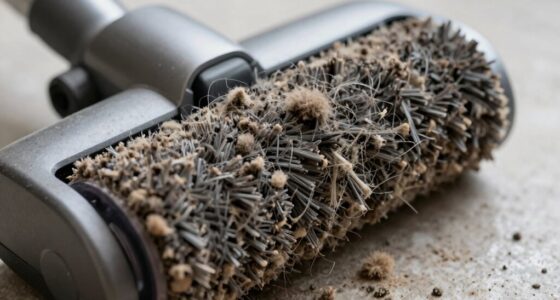
- Inspect the main brush and side brushes for hair, debris, or tangles. The Dual Anti-Tangle System helps prevent hair jams, but regular checks are vital for optimal performance.
- Check the sensors and navigation system. The PreciseSense LiDAR navigation relies on clean sensors for accurate mapping. Wipe sensors gently with a soft, dry cloth to remove dust or smudges.
- Update the Roborock app to ensure your device runs the latest firmware. Firmware updates often include bug fixes and performance improvements essential for troubleshooting.
Troubleshooting Common Issues
- Robot not starting or responding: Ensure the device is charged, and the power button is pressed. Restart the robot via the app or physical button. Reset the device if needed by pressing and holding the power button for 10 seconds.
- Poor cleaning results: Check brushes and filters. Clean the main brush and side brushes thoroughly. Replace filters if they are dirty or clogged. Confirm the mop pads and microfiber cloths are properly attached and clean.
- Navigation errors or getting stuck: Clear the path of obstacles, especially around the charging dock. Ensure no clutter blocks sensors or pathways. Re-map the area if the map appears inaccurate.
- Self-emptying system malfunction: Check the dust bag for full capacity. Clean the dust compartment and ensure the dust bag is correctly installed. Inspect the docking station for dust or debris that could obstruct the emptying process.
Routine Maintenance Tips
- Clean the main brush and side brushes weekly to prevent hair tangles. Use scissors to trim hair wrapping around the brushes.
- Wash or replace mop pads and microfiber cloths every 1-3 months, depending on usage. The VIEWALL 6 Pack Reusable Mop Pads are compatible and durable.
- Replace filters regularly—ideally every 2-3 months—to maintain suction power and air quality. The 4 Pack Washable Filter offers a cost-effective, eco-friendly option.
- Wipe sensors and navigation cameras with a soft, dry cloth to ensure accurate mapping and obstacle avoidance.
- Empty the dust bag when full, and check for clogs in the air pathways to ensure maximum suction power.
Care and Storage Tips
Store your Roborock in a cool, dry place away from direct sunlight. During extended periods of non-use, charge the battery to around 50% and turn off the device. Regularly check the charging dock and cleaning stations for dust or debris. Keep the area around the dock clear to facilitate smooth operation and self-emptying processes.
When to Contact Support
If troubleshooting steps do not resolve your issue, contact Roborock customer support. Common reasons include persistent mechanical faults, software glitches requiring advanced updates, or hardware replacements. Always have your model number and purchase details ready to expedite assistance.
The Products in This Guide

roborock Q7 M5+ Robot Vacuum and Mop
- ✔ Weight: 7.7 lbs
- ✔ Charging Time: Approx. 6 hours
- ✔ Coverage Area: Up to 2150 sq ft per charge

4 Pack Washable Filter
- ✔ Filter Size: Approx. 2.8 x 2.8 inches
- ✔ Weight: Approx. 0.2 lbs per filter
- ✔ Wash Cycles: Up to 10 times
roborock Q7 M5+ Robot Vacuum and Mop
The Roborock Q7 M5+ offers impressive features like up to 7-9 weeks of self-cleaning, 10,000Pa suction, and dual anti-tangle systems, making it a reliable choice for pet owners and busy households.
Pros:
- Long-lasting self-emptying system
- High 10,000Pa suction
- Effective pet hair management
- Advanced LiDAR navigation
Cons:
- Larger footprint may block tight spaces
- Requires regular filter cleaning
- Mop functionality less robust than vacuum
Best for: Pet owners and large homes needing minimal maintenance
Not ideal for: Small apartments or users seeking lightweight, compact models
Bottom line: The Roborock Q7 M5+ expertly balances power, convenience, and minimal maintenance, making it ideal for busy households.
4 Pack Washable Filter
Replacing filters regularly ensures your Roborock maintains optimal suction and air quality. The 4 Pack Washable Filter set is a cost-effective choice compatible with many models, including the Q7 series.
Pros:
- Cost-effective 4-pack
- Easy to wash and reuse
- Maintains high filtration efficiency
- Compatible with multiple models
Cons:
- Must be washed regularly
- Not OEM, but performance is comparable
- Filters may wear out after many washes
Best for: Users wanting to maintain filter performance affordably
Not ideal for: Those preferring OEM parts or less frequent filter changes
Bottom line: This washable filter set helps you keep your Roborock performing at peak, saving money and reducing waste.
Frequently Asked Questions
How do I reset my Roborock Q7 M5+?
Press and hold the power button for 10 seconds until the device turns off, then press the power button again to restart. You can also reset via the app if needed.
Why is my Roborock not charging?
Check that the charging dock is plugged in and free of dust or debris. Ensure the robot is properly aligned on the dock. Clean charging contacts if necessary.
How often should I clean the filters?
Wash or replace filters every 2-3 months for optimal suction and air quality, depending on usage and pet hair presence.
My robot gets stuck or can’t navigate properly. What should I do?
Clear obstacles from the path, especially around the dock. Wipe sensors and ensure the map is accurate. Re-run the mapping process if needed.
Can I use my Roborock without the mop pads?
Yes, you can detach the mop pads and operate the vacuum-only mode for dry cleaning. Ensure the mop attachment area is clean to prevent residue buildup.
Keep Your Roborock Running Like New
Regular maintenance and troubleshooting are key to enjoying the full benefits of your Roborock Q7 M5+. By following these steps and tips, you can prevent common issues, extend the lifespan of your device, and ensure it always performs at its best. Remember, a well-maintained robot not only cleans better but also saves you time and frustration in the long run.
Affiliate disclosure: As an Amazon Associate we earn from qualifying purchases. Prices and availability are accurate as of the time of publishing.
Halloween Picks
halloween
As an affiliate, we earn on qualifying purchases.