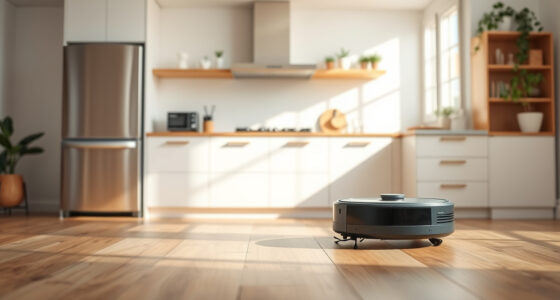
Maintaining your Roborock robot vacuum, specifically the Roborock Q7 M5+, is essential for ensuring optimal performance and longevity. Regular upkeep prevents common issues like reduced suction, poor navigation, or tangling, especially in homes with pets or cluttered floors. Whether you’re a first-time user or a seasoned owner, this comprehensive guide provides practical, safe, and easy-to-follow steps to keep your vacuum in top shape.

Get cleaning gear delivered free with Prime
- Fast, free delivery on millions of items
- Prime Video, Amazon Music and more included
- Member-only deals all year
From cleaning the filters and brushes to troubleshooting navigation errors, each section offers detailed instructions grounded in the product’s specifications. Proper maintenance not only improves cleaning efficiency but also minimizes costly repairs or replacements over time. Let’s dive into the essential steps to maintain your Roborock Q7 M5+ effectively.
Key Takeaways
| Regular filter cleaning | Keeps suction power optimal and prevents blockages. |
| Brush and wheel maintenance | Prevents tangling and ensures smooth movement. |
| Battery and charging checks | Ensures consistent cleaning cycles and longevity. |
| Sensor and navigation cleaning | Maintains accurate mapping and obstacle avoidance. |
| Troubleshooting common issues | Quick fixes for suction, navigation, or app connectivity. |
1. Regular Cleaning of Filters and Dust Bag
- Open the dustbin compartment and remove the sealed dust bag. The Q7 M5+ features a 2.7L bag that captures pet hair and debris efficiently, reducing the need for frequent emptying.
- Check the washable filters, which are compatible with the 4 Pack Washable Filter (asin B0DK99HTQ7). Rinse them under water, gently squeezing out dirt, and let them air dry completely before reinstallation.
- Replace the dust bag if it’s full or visibly damaged. The self-emptying feature with a 7-9 week cycle minimizes maintenance, but regular checks extend its lifespan.
Maintaining the filters and dust bag ensures the vacuum maintains strong suction (up to 10,000Pa) and prevents clogs that could impair cleaning performance.
2. Cleaning and Maintaining Brushes and Wheels
- Remove the main brush carefully, following the user manual instructions. The dual anti-tangle system helps reduce pet hair buildup, but occasional detangling is recommended.
- Use a cleaning tool or scissors to remove hair, fibers, or debris tangled around the brush and side brushes.
- Inspect the wheels and side rollers for dirt or hair entanglement, cleaning them with a damp cloth if necessary.
- Reinstall the brush securely to avoid any operational issues.
Well-maintained brushes and wheels prevent common issues like poor navigation, uneven cleaning, or motor strain, ensuring your robot continues to clean thoroughly.
3. Battery and Charging Station Maintenance
- Check the charging contacts on the robot and charging dock for dust or dirt. Clean them gently with a dry cloth to ensure proper charging.
- Ensure the docking station is placed in an unobstructed, stable area, free from dust or obstructions that could hinder docking and charging.
- If your robot isn’t holding a charge or cycling properly, consider replacing the battery or contacting support. The model’s battery typically supports several years of use with proper care.
Consistent charging and proper battery care are crucial for maintaining the robot’s ability to perform long, uninterrupted cleaning cycles, especially given its impressive 7-9 week self-emptying schedule.
4. Cleaning Sensors and Navigation Components
- Use a soft, dry cloth or a compressed air can to gently clean the LiDAR sensor and navigation sensors located on the top of the robot. This prevents dust buildup that could impair mapping accuracy.
- Avoid using liquids directly on sensors, as moisture can damage delicate electronic parts.
- Periodically check the sensors’ visibility and clean them after vacuuming in dusty environments or if the robot seems to lose track of its location.
Clear sensors help the PreciSense LiDAR navigation system operate at peak performance, ensuring efficient and intelligent cleaning paths.
5. Troubleshooting Common Roborock Issues
- Reduced Suction: Check and clean filters and brushes, and ensure the dust bag is not full.
- Navigation Errors: Clean sensors and restart the device. Ensure the robot’s path is clear of obstacles or clutter.
- App Connectivity: Restart your device and ensure your Wi-Fi network is stable. Reinstall or update the Roborock app if needed.
- Battery Life: Replace the battery if the robot no longer holds a charge after cleaning cycles.
Most issues can be resolved with routine cleaning and checks, saving time and avoiding service calls.
The Products in This Guide

roborock Q7 M5+ Robot Vacuum and Mop
- ✔ Model: Q7 M5+
- ✔ Cleaning Cycles: Up to 9 weeks
- ✔ Navigation: PreciSense LiDAR

4 Pack Washable Filter
- ✔ Pack: 4 filters
- ✔ Material: HEPA
- ✔ Compatibility: Q7/Q7+ models
roborock Q7 M5+ Robot Vacuum and Mop
<p>The Roborock Q7 M5+ offers powerful suction (up to 10,000Pa), a self-emptying dust bag that lasts up to 9 weeks, and a dual anti-tangle system—making it ideal for pet owners and busy households.</p><p>Its PreciSense LiDAR ensures precise navigation, while app control makes it easy to schedule and customize cleaning routines.</p>
Pros:
- Strong suction power
- Long-lasting self-emptying dust bag
- Pet hair management
- Advanced navigation
Cons:
- Can be heavy to lift for maintenance
- Filter cleaning required regularly
- Initial setup can be complex
Best for: Pet owners, large homes, allergy sufferers
Not ideal for: Small apartments with minimal debris, users preferring manual cleaning
Bottom line: A powerful, low-maintenance option for pet-friendly homes with large floor areas.
4 Pack Washable Filter
<p>This washable HEPA filter pack is compatible with multiple Roborock models, including the Q7 series. Regular replacement or cleaning of filters ensures optimal suction and air quality, especially important in homes with pets or allergies.</p><p>Its washable design makes it economical and eco-friendly, maintaining your vacuum’s high performance.</p>
Pros:
- Effective filtration
- Reusable and washable
- Compatible with various models
- Easy to install
Cons:
- Requires regular cleaning
- Not OEM, but performs similarly
- Filter drying time needed
Best for: Air quality improvement, allergy sufferers
Not ideal for: Users seeking OEM filters only, or minimal maintenance preference
Bottom line: A cost-effective way to keep your vacuum’s filtration system running at peak performance.
Frequently Asked Questions
How often should I replace the dust bag in my Roborock Q7 M5+?
The self-emptying feature with a large 2.7L dust bag means you may only need to check and replace it every 7-9 weeks, depending on usage and household debris levels.
Can I wash the filters and mop pads?
Yes, the filters and mop pads are washable. Rinse them thoroughly with water and let them dry completely before reinstalling to maintain optimal performance.
What’s the best way to remove tangled pet hair from brushes?
Carefully remove the main brush and use scissors or a cleaning tool to cut away hair and fibers. Regular cleaning prevents tangling and maintains suction power.
My vacuum isn’t connecting to the app. What should I do?
Ensure your Wi-Fi network is stable, restart the robot and app, and update the firmware if needed. Reinstalling the app can also resolve connectivity issues.
How do I troubleshoot navigation problems?
Clean the LiDAR sensor and navigation sensors with a soft cloth, remove obstacles in the robot’s path, and restart the device. Proper sensor maintenance improves mapping accuracy.
Keep Your Roborock Running Like New
Regular maintenance is key to ensuring your Roborock Q7 M5+ continues to deliver powerful, efficient cleaning. By following these simple steps—cleaning filters, brushes, sensors, and checking the battery—you’ll maximize its lifespan and performance. Troubleshooting common issues promptly can save you time and keep your home spotless with minimal effort.
Investing a little time in maintenance will pay off in cleaner floors, better air quality, and fewer repair costs, making your robotic vacuum a reliable partner in household chores for years to come.
Affiliate disclosure: As an Amazon Associate we earn from qualifying purchases. Prices and availability are accurate as of the time of publishing.
Halloween Picks
halloween
As an affiliate, we earn on qualifying purchases.