
To keep your stick vacuum performing well, you should charge the battery before it drops below 20-30% and avoid fully draining it. Use only the charger from the manufacturer and unplug the vacuum once fully charged to prevent overcharging. For the dustbin, empty it after each use or at 75% capacity and clean the filter regularly. Proper maintenance prolongs your vacuum’s life—keep going to discover more helpful tips.
Key Takeaways
- Recharge the vacuum when battery drops to 20-30% and avoid overcharging to extend battery life.
- Empty the dustbin regularly, ideally after each use or at 75% capacity, to maintain optimal suction.
- Clean the dustbin filter frequently and ensure it is completely dry before reinserting to prevent airflow restrictions.
- Use only manufacturer-provided chargers and store the vacuum in a cool, dry environment to protect battery health.
- Perform small, regular charge/discharge cycles and avoid heat buildup for longer battery longevity.
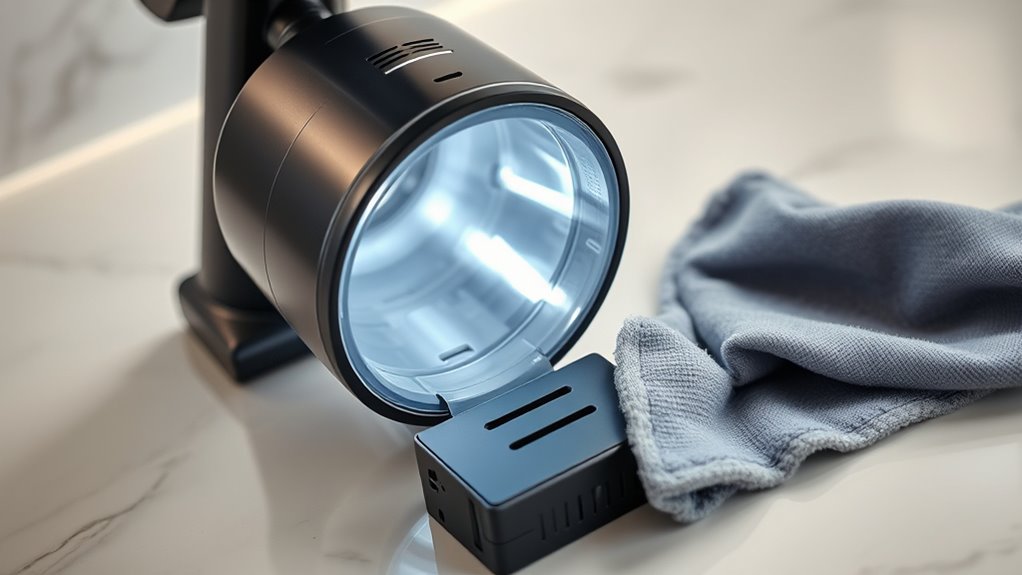
Keeping your stick vacuum in top shape requires proper battery care and regular dustbin maintenance. The battery is the heart of your vacuum’s performance, and how you treat it directly impacts battery longevity. To maximize the lifespan of your battery, avoid letting it completely drain before recharging. Instead, aim to recharge when it reaches around 20-30% capacity. This helps prevent unnecessary strain on the battery cells, which can degrade over time if drained fully or charged improperly. Always use the charger provided by the manufacturer, as third-party chargers can deliver inconsistent power that harms the battery. Additionally, don’t leave your vacuum plugged in continuously once it’s fully charged, as overcharging can generate heat and reduce battery health. Storing your vacuum in a cool, dry place also supports ideal battery performance, especially if you won’t be using it for a while. Regularly charging and discharging the battery in small cycles helps keep it active and prevents it from losing capacity prematurely. Proper battery maintenance can significantly extend the overall lifespan of your vacuum.
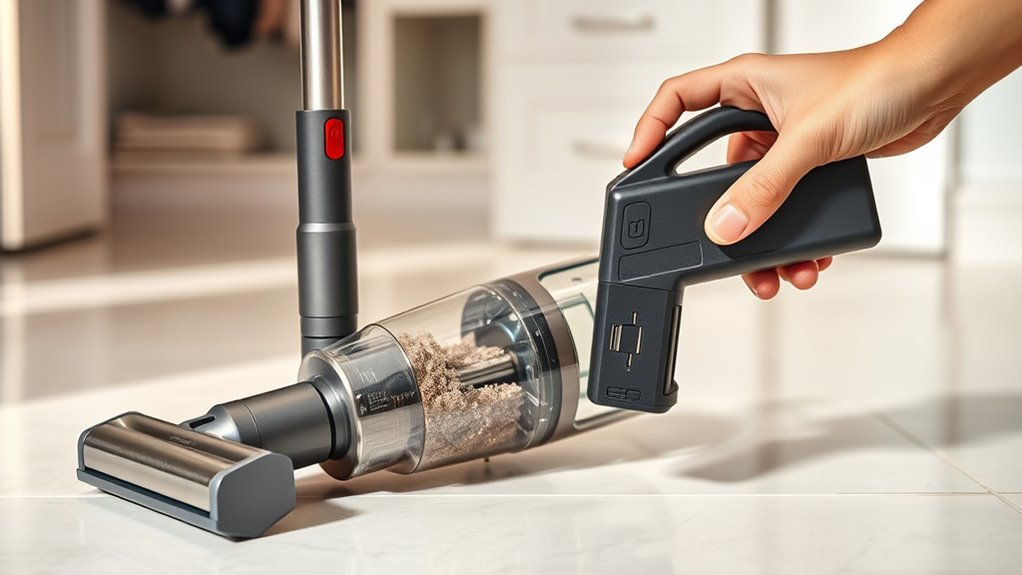
Dustbin hygiene is equally essential to maintain suction power and prevent odors or clogs. Empty the dustbin after each use or when it’s about 75% full—don’t wait until it’s overflowing. A full dustbin adds extra weight, making the vacuum harder to maneuver and decreasing cleaning efficiency. When emptying, do so over a trash bin to avoid dust dispersal into the air, and wipe the inside of the dustbin with a damp cloth if dust or debris sticks stubbornly. Regular cleaning of the dustbin’s filter is also critical; a clogged filter restricts airflow, reducing suction and putting strain on the motor. Wash the filter as recommended by the manufacturer, usually every few weeks, and allow it to dry completely before reinserting. Maintaining dustbin hygiene not only improves vacuum performance but also extends the life of internal components, preventing unnecessary wear and tear.

Stick Vacuum Cleaner Charger Replacement Fit for INSE N5S N5 N670 N570 N660
- Compatible Models: Fits INSE N5S, N5, N670, N570, N660, N500, N550, V70, N600, N560, N6, N6S, N650
- Enhanced Durability: Snap-in dual power plugs for safety
- Extended Reach: 6 ft (1.8 m) power cord for convenience
As an affiliate, we earn on qualifying purchases.
As an affiliate, we earn on qualifying purchases.
Frequently Asked Questions
How Often Should I Replace the Battery in My Stick Vacuum?
You should replace your stick vacuum’s battery roughly every 2 to 3 years, depending on its battery lifespan and usage. Keep an eye on performance; if your vacuum runs shorter than usual or takes longer to charge, it’s time for a replacement. Follow the replacement schedule recommended by the manufacturer to guarantee peak suction and battery health. Regularly maintaining the battery helps prolong its lifespan and keeps your vacuum working efficiently.
Can I Use a Different Charger for My Vacuum’s Battery?
You shouldn’t use a different charger for your vacuum’s battery unless it’s compatible. Charger compatibility is vital because using the wrong charger can damage the battery or reduce its lifespan, leading to more frequent battery replacements. Always check the charger specifications and manufacturer recommendations before switching chargers. Sticking with the original charger ensures safe, efficient charging, helping you avoid unnecessary battery replacement costs and keeping your vacuum working at its best.
What Is the Best Way to Clean the Dustbin Filter?
A stitch in time saves nine, so it’s best to clean your dustbin filter regularly. To maintain the filter, remove it from the dustbin and gently tap off loose debris. Rinse it with water if it’s washable, and let it fully dry before reinstalling. For ideal dustbin maintenance, clean the filter often to keep your vacuum running efficiently and extend its lifespan.
How Do I Troubleshoot if the Vacuum Loses Suction?
If your vacuum loses suction, start by inspecting for blockages in the hose, wand, or brush bar, and clear any debris. Check the seal integrity around the dustbin and filter to ensure it’s tight and undamaged. Also, examine the filter for clogs. These steps help restore suction efficiently. Regularly performing blockage inspections and maintaining seal integrity keep your vacuum working at its best.
Is It Safe to Leave the Battery Charging Overnight?
It’s generally safe to leave your vacuum’s battery charging overnight, but you should follow the manufacturer’s guidelines for safety and peak battery life. Battery safety is important, so avoid overcharging or using incompatible chargers. Many modern vacuums have built-in protections to prevent overcharging during overnight charging. To guarantee safety, check your user manual for specific instructions. Proper overnight charging can keep your vacuum ready whenever you need it, without risking damage or safety issues.
Conclusion
By following these simple tips, you’ll turn your stick vacuum into a powerhouse that never quits, no matter how monstrous the mess. With proper battery care and dustbin upkeep, you’ll keep it running smoother than a racing car on a clean track. Say goodbye to sudden power failures and clogged dustbins—your vacuum will become your unstoppable cleaning superhero, ready to conquer even the most towering piles of dirt with ease and grace.