If your Dyson V15 Detect™ Origin Cordless Vacuum is pulsing on and off during use, it can be frustrating and hinder your cleaning. This issue often indicates a problem with power, filters, or blockages. Fortunately, many causes are simple to diagnose and fix with basic steps. This guide provides clear, safe troubleshooting tips to restore your vacuum’s optimal performance.

Get cleaning gear delivered free with Prime
- Fast, free delivery on millions of items
- Prime Video, Amazon Music and more included
- Member-only deals all year
Before attempting any fixes, ensure your vacuum is turned off and unplugged (or the battery is removed if applicable). Follow each step carefully to avoid damage or injury.
Key Takeaways
| Power issues | Pulsing can be caused by battery or motor overheating or power supply problems. |
| Clogged filters | Dirty or clogged filters restrict airflow, triggering pulsing. |
| Blockages | Obstructions in the wand or cleaner head can cause power fluctuations. |
| Sensor or electronics fault | Malfunctioning sensors or circuit issues may lead to pulsing. |
Check and Clean the Filters
- Remove the pre-filters from the vacuum according to the user manual.
- Rinse the filters thoroughly with water, ensuring all debris is washed out.
- Allow the filters to dry completely, preferably overnight, before reinstalling.
- Reinstall the filters securely and test the vacuum.
Inspect for Blockages
- Detach the wand and cleaner head from the main body.
- Check for obstructions in the wand, cleaner head, and hose.
- Clear any debris or hair tangled in the brush bar or nozzle.
- Reassemble and run the vacuum to see if pulsing persists.
Examine the Battery and Power Connection
Ensure the battery is properly seated and charged. If the vacuum uses a removable battery, remove and reinsert it to ensure good contact. If the battery is old or not holding charge, consider replacing it with a compatible one. Avoid using a non-genuine or damaged power source, as it can cause power fluctuations.
Reset and Test the Vacuum
- Turn off the vacuum and disconnect it from power if applicable.
- Remove the battery and wait for 30 seconds.
- Reinstall the battery and turn the vacuum on.
- Observe if the pulsing continues or if the issue is resolved.
Consider Replacing Worn Components
If cleaning and checks don’t resolve the pulsing, consider replacing filters or the crevice tool for better airflow. Using high-quality replacement filters, like the 3Pack Pre Filters, can restore suction and prevent overheating. Regular maintenance helps prolong your vacuum’s lifespan.
The Products in This Guide

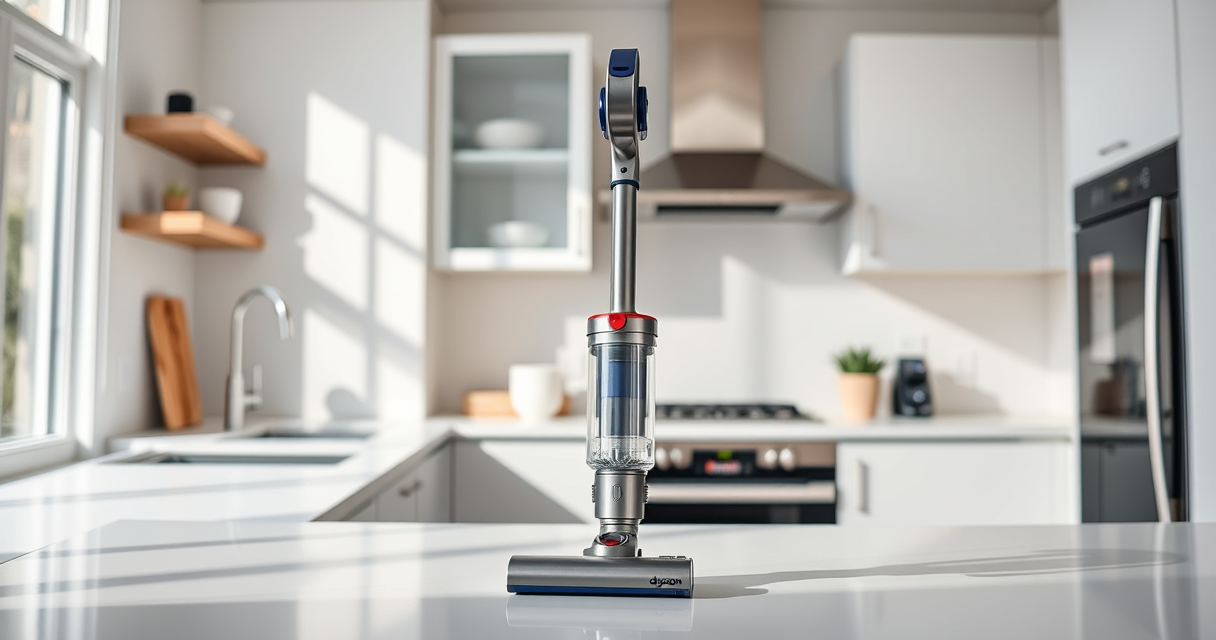
Dyson V15 Detect™ Origin Cordless Vacuum
- ✔ Battery Life: 60 mins
- ✔ Weight: 6.8 lbs
- ✔ Filtration: HEPA and washable filters

LANMU Crevice Tool Vacuum Attachments Compatible
- ✔ Compatibility: Multiple Dyson models
- ✔ Material: Plastic
- ✔ Length: 15 inches
Dyson V15 Detect™ Origin Cordless Vacuum
<p>The Dyson V15 Detect™ Origin offers impressive suction, intelligent power adjustment, and advanced features like dust detection and real-time particle counts. Its design allows easy switching between handheld and stick modes, making it suitable for whole-home cleaning and detailed spot work.</p>
Pros:
- Powerful suction
- Long battery life
- Intelligent dust detection
- Multiple cleaning heads
Cons:
- Higher price point
- Weight can be cumbersome for extended use
- Filter maintenance required
Best for: Deep cleaning homes with pets or hard floors
Not ideal for: Light or quick cleaning tasks, or budget-conscious buyers
Bottom line: The Dyson V15 Detect™ Origin is a top-tier cordless vacuum that combines power, intelligence, and versatility for comprehensive cleaning.
LANMU Crevice Tool Vacuum Attachments Compatible
<p>This crevice tool attachment is perfect for accessing narrow spaces and corners, making cleaning around furniture, car interiors, or tight gaps easier. Compatible with multiple Dyson models, it enhances your cleaning efficiency.</p>
Pros:
- Narrow, flexible design
- Easy to attach
- Versatile for various surfaces
- Great for detailed cleaning
Cons:
- May not fit older or non-compatible models
- Requires storage space
- No cleaning head included
Best for: Cleaning tight corners and hard-to-reach areas
Not ideal for: General surface cleaning or large debris removal
Bottom line: A versatile crevice tool that makes reaching tricky spots effortless and effective.
Frequently Asked Questions
Why does my Dyson vacuum pulse on and off during use?
Pulsing often indicates issues like clogged filters, blockages, overheating, or power supply problems. Following troubleshooting steps can help resolve these issues.
How often should I clean or replace the filters?
It’s recommended to rinse washable filters every 1-3 months and replace non-washable filters as needed, typically every 6-12 months depending on usage.
Can clogged filters cause the vacuum to stop working?
Yes, clogged or dirty filters restrict airflow, which can trigger the vacuum to pulsing or shutting down to prevent damage.
What should I do if my vacuum still pulses after cleaning filters and checking for blockages?
If issues persist, consider resetting the vacuum, inspecting the battery connections, or contacting Dyson support for further assistance.
Restore Your Dyson’s Peak Performance
Addressing pulsing issues involves checking filters, removing blockages, and ensuring proper power connection. Regular maintenance and timely replacement of filters can prevent future problems. If troubleshooting steps don’t resolve the issue, professional service or support may be necessary to keep your Dyson vacuum performing at its best.
Affiliate disclosure: As an Amazon Associate we earn from qualifying purchases. Prices and availability are accurate as of the time of publishing.
Halloween Picks
halloween
As an affiliate, we earn on qualifying purchases.