If your Dyson V15 Detect™ Origin cordless vacuum is losing battery life quickly, it can be frustrating. This guide provides clear, safe steps to troubleshoot and fix common issues causing rapid battery drain, helping you restore optimal performance.

Get cleaning gear delivered free with Prime
- Fast, free delivery on millions of items
- Prime Video, Amazon Music and more included
- Member-only deals all year
Follow these steps carefully to identify the problem, whether it’s a clogged filter, worn-out parts, or battery issues, and get your vacuum running like new.
Key Takeaways
| Battery health check | Battery deterioration is a common cause of rapid drain. |
| Filter maintenance | Dirty filters can reduce runtime and efficiency. |
| Proper cleaning | Clogs and debris hinder airflow, affecting performance. |
| Component inspection | Worn or damaged parts may need replacement. |
| Battery replacement | In some cases, new batteries restore full runtime. |
Check and Clean the Filters
- Remove the pre-filters and main filter from your vacuum.
- Rinse the filters thoroughly with water. Do not use soap or detergents.
- Allow the filters to air dry completely, usually 24 hours, before reinstalling.
- Replace filters every 2-3 months to maintain optimal airflow and battery efficiency.
Inspect for Clogs and Blockages
- Check the cleaner heads, wand, and hose for debris or blockages.
- Clear any obstructions carefully to ensure smooth airflow.
- Use a crevice tool to reach hard-to-access areas.
Examine the Battery and Charging Port
Ensure the charging port is clean and the connection is secure. If the vacuum still loses charge quickly, consider testing the battery with a multimeter or replacing it if it’s old or damaged.
Update Firmware and Reset
If your Dyson has a digital display, check for firmware updates or maintenance alerts. Reset the vacuum by turning it off, removing the battery for a few minutes, then reinstalling it before charging again.
Replace Worn Components
Replace filters or the battery if they are no longer performing well. Use genuine parts to ensure compatibility and safety.
The Products in This Guide

Dyson V15 Detect™ Origin Cordless Vacuum
- ✔ Battery Type: Lithium-ion
- ✔ Charging Time: 3.5 hours
- ✔ Weight: 6.8 lbs

LANMU Crevice Tool Vacuum Attachments Compatible
- ✔ Nozzle Width: 0.75 inches
- ✔ Material: Plastic
- ✔ Compatibility: Multiple Dyson models
Dyson V15 Detect™ Origin Cordless Vacuum
The Dyson V15 Detect™ Origin offers exceptional cleaning power and smart features. Regular maintenance, especially filter cleaning and battery checks, helps prevent rapid battery drain and keeps it performing at its best.
Pros:
- Powerful suction
- Intelligent debris detection
- Long runtime
- Multiple cleaning modes
Cons:
- Battery aging can reduce runtime over time
- Filters require regular cleaning
- Battery replacement can be costly
Best for: Homeowners seeking deep, efficient cleaning with advanced features
Not ideal for: Users with very old batteries or infrequent maintenance habits
Bottom line: Regular maintenance and component checks are key to preventing rapid battery drain.
LANMU Crevice Tool Vacuum Attachments Compatible
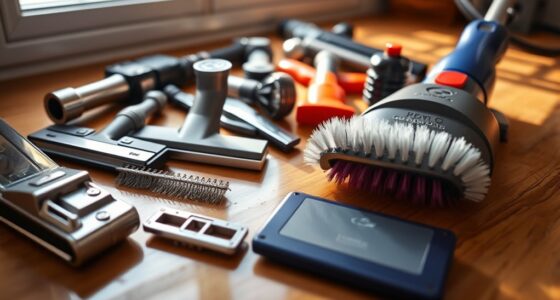
The LANMU Crevice Tool Vacuum Attachments are compatible with many Dyson models, including the V15. They help reach tight spots and hard-to-clean areas, improving overall cleaning efficiency.
Pros:
- Narrow nozzle for tight spaces
- Flexible and slim design
- Easy to attach
- Ideal for cars and corners
Cons:
- Limited to specific Dyson models
- Additional attachments may be needed for larger areas
Best for: Cleaning corners, edges, and tight spots in home or car
Not ideal for: For general floor cleaning, use with standard heads
Bottom line: A versatile attachment that improves reach and precision during cleaning.
Frequently Asked Questions
How often should I replace the filters on my Dyson V15?
It is recommended to wash and dry the filters every 2-3 months and replace them if they show signs of wear or damage.
What should I do if my battery still drains quickly after cleaning filters?
Check the battery’s age and condition. If it is old or damaged, replacing it may be necessary to restore runtime.
Can I upgrade my Dyson V15 with additional accessories?
Yes, compatible accessories like crevice tools and soft dusters can enhance cleaning in specific areas.
Is it safe to wash the filters with water?
Yes, the filters are washable. Ensure they are completely dry before reinstalling to prevent damage to the vacuum.
Keep Your Dyson V15 Running Like New
Regular maintenance, including cleaning filters, checking for clogs, and replacing worn parts, can significantly extend your vacuum’s battery life and performance. By following these steps, you can troubleshoot common issues and ensure your Dyson V15 Detect™ Origin remains a powerful cleaning tool for your home.
Affiliate disclosure: As an Amazon Associate we earn from qualifying purchases. Prices and availability are accurate as of the time of publishing.
Halloween Picks
halloween
As an affiliate, we earn on qualifying purchases.