For a MacBook Pro for music production, I’d make the 16-inch M5 Pro with 64GB memory my best overall pick: it pairs a spacious screen with ample capacity for demanding sessions without the extreme resources of an M5 Max. The 14-inch M5 Pro with 48GB memory suits producers who need a more portable workstation, while the 16-inch M5 Max with 128GB memory is aimed at exceptionally large, plugin-heavy projects. The main tradeoffs are portability versus screen space, memory headroom versus cost, and newer Apple silicon versus the lower cost of renewed models. Read on for the full breakdown of all 13 options and guidance on matching a configuration to your sessions.

Get cleaning gear delivered free with Prime
- Fast, free delivery on millions of items
- Prime Video, Amazon Music and more included
- Member-only deals all year
Complete the kit


Key Takeaways
The 16-inch M5 Pro with 64GB memory is the strongest all-around balance in this group: it offers generous working room and memory without stepping up to the M5 Max.
The 14-inch M5 Pro with 48GB memory is the portability pick for producers who want modern performance and more memory headroom than the base M5 configurations.
The 16-inch M5 Max with 128GB memory has the greatest listed memory capacity, but most buyers should pay for that headroom only if their sessions regularly push large sample libraries or plugin loads.
Base M5 models vary meaningfully: the 24GB memory, 1TB SSD configuration gives more room for sessions than the 16GB, 512GB version, even though both use the M5 chip.
Renewed M1 Pro and M2 Pro models remain the practical value alternatives, while the Intel 2019 and 8GB M3 configurations are the most constrained choices for a new production workstation.


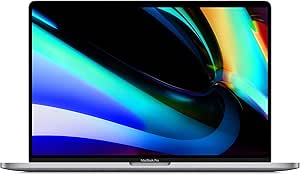



| macbook pro for music production | Storage | Display | Processor | Ports |
|---|---|---|---|---|
| Apple MacBook Pro 16.2" with M | 2 TB SSD | 16.2-inch Liquid Retina XDR | M5 Max, 18-core CPU | 3× Thunderbolt 5, MagSafe 3, HDMI, SDXC card slot, headphone jack |
| Apple 2021 MacBook Pro 16-inch | 512 GB SSD | 16.2-inch Liquid Retina XDR, 3456 × 2234, 120 Hz ProMotion | Apple M1 Pro, 10-core CPU | — |
| Apple 2025 MacBook Pro 14.2-in | 512 GB SSD | 14.2-inch Liquid Retina XDR | Apple M5, 10-core CPU | 3× Thunderbolt 4, MagSafe 3, SDXC card slot, HDMI, headphone jack |
| Apple MacBook Pro 14.2-inch wi | 2 TB SSD | 14.2-inch Liquid Retina XDR | M5 Max, 18-core CPU | 3× Thunderbolt 5, MagSafe 3, SDXC card slot, HDMI, headphone jack |
| Apple MacBook Pro 14.2-inch wi | 1 TB SSD | Listed as 14.2-inch Liquid Retina XDR; product information gives inconsistent display sizes | — | 3× Thunderbolt 5, MagSafe 3, SDXC card slot, HDMI, headphone jack |
| Apple 2021 MacBook Pro 14-inch | 512GB SSD | 14.2-inch Liquid Retina XDR, 3024 × 1964 | Apple M1 Pro, 8-core CPU and 14-core GPU | Three USB-C, HDMI, headphone jack |
| Apple MacBook Pro 16.2-inch wi | 1TB SSD | 16.2-inch Liquid Retina XDR | — | Three Thunderbolt 5, MagSafe 3, SDXC card slot, HDMI, headphone jack |
| Apple 2025 MacBook Pro Laptop | 1TB SSD | 14.2-inch Liquid Retina XDR | Apple M5 chip, 10-core CPU and 10-core GPU | Three Thunderbolt 4, MagSafe 3, SDXC card slot, HDMI, headphone jack |
| Apple 2023 MacBook Pro with M2 | 512GB SSD | 14.2-inch Liquid Retina XDR with ProMotion 120Hz | Apple M2 Pro, 10 CPU cores and 16 GPU cores | MagSafe, HDMI, SDXC, Thunderbolt 4 |
| Apple MacBook Pro 16-inch | 512GB SSD | 16-inch Retina, listed as 3072 × 1920 | 2.6GHz 6-core Intel Core i7-9750H | Four Thunderbolt and USB-C ports |
| Apple 16.2-inch MacBook Pro wi | 1TB SSD | 16.2-inch Liquid Retina XDR | — | Three Thunderbolt 5, MagSafe 3, SDXC card slot, HDMI, headphone jack |
| Apple 2024 MacBook Pro with M4 | 512GB SSD | — | Apple M4 chip | — |
| Apple 2023 MacBook Pro 14-inch | 512GB SSD | 14.2-inch Liquid Retina XDR, 3024 × 1964 | Apple M3, 8-core CPU | — |
More Details on Our Top Picks
Apple MacBook Pro 16.2″ with M5 Max (18-core CPU, 40-core GPU), 128 GB Unified Memory, 2 TB SSD, Space Black
For producers running large sample libraries, many plug-ins, or demanding audio alongside video work, this 16.2-inch MacBook Pro has the strongest headroom in this group. Its 128 GB unified memory can keep more instruments and session assets available without leaning as heavily on storage, while the M5 Max and 2 TB SSD suit dense projects and substantial local libraries. Compared with the 14-inch M5 Pro model, this configuration gives you much more memory and storage, plus a larger workspace; the tradeoff is that it is far less convenient to carry. Thunderbolt 5, HDMI, SDXC, and a headphone jack make studio connections more flexible, though an audio interface remains the better choice for critical recording and monitoring. The supplied listing states a weight of 9.1 pounds, so check portability needs carefully before choosing it.
Pros:- 128 GB unified memory gives substantial room for large sample libraries and complex sessions
- M5 Max with an 18-core CPU is positioned for demanding creative workloads
- 2 TB SSD provides more onboard project and library space than the 1 TB M5 Pro option
- Thunderbolt 5, HDMI, SDXC, MagSafe 3, and headphone jack offer versatile connections
Cons:- The supplied 9.1-pound weight makes it a poor fit for frequent travel
- Its 16.2-inch size is less compact than the 14.2-inch models
- The 40-core GPU adds less value to audio-only work than the generous memory and CPU headroom
Best for: Producers who run memory-heavy sample libraries, large plug-in chains, and complex sessions from a laptop-based studio
Not ideal for: Mobile musicians who carry their MacBook to rehearsals or sessions often, or producers whose projects fit comfortably within a smaller memory and storage configuration
- Processor:M5 Max, 18-core CPU
- Graphics:40-core Apple GPU with Neural Accelerator
- Unified memory:128 GB
- Storage:2 TB SSD
- Display:16.2-inch Liquid Retina XDR
- Ports:3× Thunderbolt 5, MagSafe 3, HDMI, SDXC card slot, headphone jack
- Wireless:Wi-Fi 7, Bluetooth 6
- Battery life:All-day
- Weight:9.1 pounds (as listed)
Our verdict“Choose this 16-inch M5 Max when large sessions and memory-heavy instruments matter more than carrying comfort.”
Apple 2021 MacBook Pro 16-inch with M1 Pro, 32GB RAM, 512GB SSD (Renewed)
This renewed 16-inch MacBook Pro is a sensible choice for producers who want a roomy project display and 32 GB unified memory without needing the latest chip generation. Its M1 Pro and 10-core CPU can handle substantial DAW sessions, while the six-speaker system and 120Hz XDR display make editing and general media work comfortable. Compared with the 14-inch M5 chip model, it offers twice the listed memory and a larger screen, but its older processor and renewed condition make it a less forward-looking purchase. The 512 GB SSD is the main workflow constraint: sample libraries and multitrack projects can consume that space quickly, so external storage may be part of the setup. The listing also specifies a 90-day Renewed Guarantee, rather than a new-device warranty.
Pros:- 32 GB unified memory is more accommodating for large sessions than the 16 GB 14-inch M5 model
- 16.2-inch Liquid Retina XDR display provides a spacious editing workspace
- 10-core M1 Pro CPU and 16-core GPU support demanding creative workflows
- Listed battery life reaches up to 20–21 hours depending on workload
Cons:- 512 GB SSD can fill quickly with audio projects, plug-ins, and sample libraries
- Renewed condition may vary, with a 90-day Renewed Guarantee listed
- Older M1 Pro generation offers less performance headroom than the M5 models in this roundup
Best for: Home-studio producers seeking a large-screen MacBook with 32 GB memory for established DAW sessions and who are comfortable buying renewed
Not ideal for: Musicians who need ample internal space for extensive sample libraries, want a new machine, or prioritize the latest-generation processor
- Model year:2021
- Processor:Apple M1 Pro, 10-core CPU
- Graphics:16-core GPU
- Unified memory:32 GB
- Storage:512 GB SSD
- Display:16.2-inch Liquid Retina XDR, 3456 × 2234, 120 Hz ProMotion
- Camera:1080p FaceTime HD
- Battery life:Up to 20–21 hours, depending on workload
- Renewed coverage:90-day Amazon Renewed Guarantee
Our verdict“Pick this renewed 16-inch model if screen space and 32 GB memory matter more than newer hardware or generous internal storage.”
Apple 2025 MacBook Pro 14.2-inch with M5 chip, 10-core CPU and GPU, 16GB memory, 512GB SSD, Space Black
The 14.2-inch M5 is the most straightforward fit here for musicians who want a current MacBook Pro they can carry between a desk, rehearsal room, and recording space. Its 10-core M5 CPU and 16 GB of unified memory suit songwriting, editing, and moderate track counts, while the built-in HDMI, SDXC, and headphone jack reduce the need for adapters. Compared with the renewed 16-inch M1 Pro, this model is newer and more portable, but it has half the listed memory of that renewed option and the same 512 GB storage capacity. That makes it a less comfortable choice for huge templates or extensive sample collections. The 14.2-inch XDR display is sharp and bright, though producers who keep a full-size mixer or arrangement view open may prefer the larger 16-inch screen.
Pros:- Compact 14.2-inch format is easier to carry than the 16-inch models
- M5 chip with 10-core CPU provides a current-generation foundation for everyday production
- HDMI, SDXC, MagSafe 3, and headphone jack limit adapter needs
- Supports up to two external displays
Cons:- 16 GB unified memory leaves less room for large sample libraries than the 32 GB renewed M1 Pro
- 512 GB SSD may require external storage for growing project and sound libraries
- The smaller display gives less room for arranging and mixing than the 16.2-inch options
Best for: Songwriters, beatmakers, and mobile producers working on moderate sessions who want a compact current-generation MacBook Pro
Not ideal for: Producers using large orchestral libraries, sprawling templates, or many simultaneous plug-ins who need more than 16 GB memory and 512 GB storage
- Processor:Apple M5, 10-core CPU
- Graphics:10-core GPU
- Unified memory:16 GB
- Storage:512 GB SSD
- Display:14.2-inch Liquid Retina XDR
- Camera:12 MP Center Stage
- Ports:3× Thunderbolt 4, MagSafe 3, SDXC card slot, HDMI, headphone jack
- External displays:Up to two
- Battery life:All-day
Our verdict“Choose this compact M5 model for portable songwriting and moderate sessions, but step up in memory for large templates.”
Apple MacBook Pro 14.2-inch with M5 Max, 18-core CPU, 40-core GPU, 64GB Memory, 2TB SSD, Silver
This 14.2-inch configuration brings the M5 Max and 64 GB unified memory into a smaller chassis, making it a strong match for producers who also run demanding video, graphics, or AI workloads. For audio, that memory and the 2 TB SSD are more directly useful than the 40-core GPU: they provide room for sizable libraries and projects without immediately relying on an external drive. Compared with the 16-inch M5 Max pick, this model is easier to fit into a mobile setup and has less memory, while retaining the same listed CPU and GPU core counts. It is still not especially light—the supplied listing says 5.5 pounds—and the 14.2-inch screen offers less arrangement space. Thunderbolt 5 and support for up to four external displays help it work well as a compact studio hub.
Pros:- 64 GB unified memory suits large sessions and substantial sample libraries
- 2 TB SSD offers more internal workspace than the 1 TB M5 Pro model
- M5 Max provides substantial CPU and GPU capability for hybrid creative work
- Thunderbolt 5, HDMI, SDXC, and headphone jack support a broad studio setup
Cons:- The listed 5.5-pound weight is heavy for a 14.2-inch laptop
- Its 40-core GPU is more capability than many audio-only workflows need
- A 14.2-inch display gives less room for editing than the 16.2-inch M5 Max
Best for: Hybrid music and video creators who need high memory and storage in a smaller display size and regularly connect studio peripherals
Not ideal for: Audio-only producers who do not need Max-level graphics, or frequent travelers seeking a genuinely lightweight 14-inch laptop
- Processor:M5 Max, 18-core CPU
- Graphics:40-core GPU
- Unified memory:64 GB
- Storage:2 TB SSD
- Display:14.2-inch Liquid Retina XDR
- Ports:3× Thunderbolt 5, MagSafe 3, SDXC card slot, HDMI, headphone jack
- Wireless:Wi-Fi 7, Bluetooth 6
- External displays:Up to four
- Weight:5.5 pounds (as listed)
Our verdict“Choose this M5 Max if you need high memory and storage for hybrid creative work but prefer a smaller screen than the 16-inch model.”
Apple MacBook Pro 14.2-inch with M5 Pro, 15-core CPU, 16-core GPU, 48GB Memory, and 1TB SSD — Space Black
This M5 Pro configuration is the middle ground for producers who want more working room for sessions than the base 14-inch M5 offers, without choosing the M5 Max models. The listed 48 GB unified memory is the key audio advantage: it gives large instruments and plug-in-heavy sessions more headroom than the 16 GB M5, while the 1 TB SSD doubles that model’s listed internal storage. Compared with the 14-inch M5 Max, it gives up GPU capacity and half the storage, but that may be a sensible trade for audio-first work that does not depend on graphics-heavy tasks. There is a data-quality caveat: the product information reports conflicting CPU and GPU configurations and inconsistent display-size details. I would verify the exact configuration with the seller before buying, rather than assume every listed specification applies.
Pros:- 48 GB unified memory provides more room for complex sessions than the 16 GB M5 model
- 1 TB SSD offers more local project space than the 512 GB configurations
- Thunderbolt 5, HDMI, SDXC, MagSafe 3, and headphone jack support studio connections
- Listed 120 Hz display resolution provides a detailed workspace
Cons:- Product information conflicts on the CPU and GPU configuration
- Product information also gives inconsistent display-size details
- Offers less listed storage and GPU capability than the 14-inch M5 Max model
Best for: Audio-first producers who want a portable 14-inch MacBook Pro with more memory and storage than the base M5 configuration
Not ideal for: Buyers who need fully confirmed configuration details, or hybrid creators who need the M5 Max model’s higher GPU capability and 2 TB SSD
- Chip:Apple M5 Pro
- CPU:15-core (listed; product information notes conflicting configurations)
- GPU:16-core (listed; product information notes conflicting configurations)
- Unified memory:48 GB
- Storage:1 TB SSD
- Display:Listed as 14.2-inch Liquid Retina XDR; product information gives inconsistent display sizes
- Resolution and refresh rate:3456 × 2234, 120 Hz (as listed)
- Ports:3× Thunderbolt 5, MagSafe 3, SDXC card slot, HDMI, headphone jack
- Weight:2.14 kg
Our verdict“This is a strong audio-focused middle configuration on paper, but verify its CPU, GPU, and display details before purchasing.”
Apple 2021 MacBook Pro 14-inch with M1 Pro chip, 16 GB RAM, 512 GB SSD, Silver
The 14-inch M1 Pro is a sensible compact workstation for producers who want a proper Pro port selection without carrying a 16-inch machine. Its 8-core CPU and 16GB of unified memory can handle many recording, editing, and mixing sessions, while the HDMI, three USB-C ports, and headphone jack make connecting a display and common accessories easier. Compared with the 2023 M2 Pro 14-inch, this older model gives up newer processing headroom, but it keeps the same useful small-screen format and a bright, high-resolution display. The main limits matter for larger sessions: 16GB memory is fixed, and the 512GB SSD may fill quickly with sample libraries and project files. Choose it for a portable, established Pro setup; skip it if your sessions depend on heavy virtual-instrument loads or substantial local storage.
Pros:- M1 Pro 8-core CPU suits demanding recording and editing workflows
- 14.2-inch Liquid Retina XDR display provides a high-resolution workspace
- HDMI, three USB-C ports, and a headphone jack reduce adapter needs
- Six-speaker system and studio-quality microphones support playback and calls
Cons:- Fixed 16GB unified memory limits headroom for large sessions
- 512GB SSD can be restrictive for sample libraries and audio projects
- Older M1 Pro has less processing headroom than the M2 Pro and M5 options in this lineup
Best for: Mobile producers with moderate-sized sessions who want HDMI and a headphone jack built into a compact MacBook Pro.
Not ideal for: Producers running large sample libraries or many memory-hungry instruments, because its 16GB unified memory cannot be upgraded and its SSD is 512GB.
- Processor:Apple M1 Pro, 8-core CPU and 14-core GPU
- Memory:16GB unified memory
- Storage:512GB SSD
- Display:14.2-inch Liquid Retina XDR, 3024 × 1964
- Ports:Three USB-C, HDMI, headphone jack
- Audio:Six-speaker system and studio-quality microphones
- Weight:1.6 kg
- Operating system:macOS
Our verdict“Choose this compact M1 Pro for portable production with moderate sessions, but favor a newer or higher-memory model for heavier projects.”
Apple MacBook Pro 16.2-inch with M5 Pro, 18-core CPU, 20-core GPU, 64GB Memory, 1TB SSD, Space Black
For producers who keep dense sessions open and rely on large virtual-instrument libraries, this 16.2-inch M5 Pro configuration has the strongest practical memory provision in this group: 64GB unified memory, an 18-core CPU, and a 1TB SSD. That combination gives more room for plugins, instruments, and active projects than the 24GB M5 14-inch, while the larger XDR display can make arranging and mixing more comfortable. Its Thunderbolt 5, HDMI, SDXC, and headphone connections also suit a studio desk with several peripherals. The tradeoff is portability: at a listed 9.1 pounds, it is far heavier than the 14-inch models, and its larger body is less appealing for regular travel. I’d pick it for a mostly stationary production rig, not for a producer prioritizing a light daily carry.
Pros:- 64GB unified memory provides substantial room for large sessions and sample libraries
- 18-core M5 Pro CPU is suited to demanding creative workloads
- 16.2-inch Liquid Retina XDR display offers more space for timelines and mixer views
- Thunderbolt 5, HDMI, SDXC, MagSafe 3, and headphone jack support a varied studio setup
Cons:- Listed 9.1-pound weight is a major drawback for mobile production
- 1TB SSD may still require external storage for extensive sample collections
- Larger chassis is less convenient than the 14-inch M5 and M2 Pro models for travel
Best for: Producers building complex sessions with many plugins or sample instruments who want a large screen and 64GB of memory in one machine.
Not ideal for: Musicians who commute with their laptop or record in different locations, because the listed 9.1-pound weight makes it much less portable than the 14-inch options.
- Chip:Apple M5 Pro
- CPU and GPU:18-core CPU, 20-core GPU
- Memory:64GB
- Storage:1TB SSD
- Display:16.2-inch Liquid Retina XDR
- Ports:Three Thunderbolt 5, MagSafe 3, SDXC card slot, HDMI, headphone jack
- Wireless:Wi-Fi 7, Bluetooth 6
- Weight:9.1 pounds
Our verdict“Choose this M5 Pro when memory capacity and a large studio workspace matter more than carrying weight.”
Apple 2025 MacBook Pro Laptop with M5 Chip, 14.2-inch Liquid Retina XDR Display, 24GB RAM, 1TB SSD, Space Black
This 14-inch M5 MacBook Pro balances portability with more useful production headroom than the 16GB configurations in this roundup. Its 24GB unified memory and 1TB SSD leave more room for plugins, sample content, and current projects than the M1 Pro 14-inch’s 16GB and 512GB, while retaining a compact 3.41-pound form. The M5’s 10-core CPU is a strong fit for recording, editing, and moderate-to-demanding mixes; producers with exceptionally large sessions may still prefer the 64GB M5 Pro 16-inch. Three Thunderbolt 4 ports, HDMI, SDXC, and a headphone jack cover many desk and mobile setups, though USB-A gear may need an adapter. This is the more balanced modern 14-inch choice; its main compromise is that it does not offer the higher-tier M5 Pro configuration’s stated CPU and memory capacity.
Pros:- 24GB unified memory offers more session headroom than the 16GB M1 Pro and M2 Pro options here
- 1TB SSD provides more built-in room for projects and audio content than 512GB models
- 14.2-inch Liquid Retina XDR display keeps the system portable while providing a detailed workspace
- Thunderbolt 4, MagSafe 3, SDXC, HDMI, and headphone jack support common studio connections
Cons:- 10-core M5 configuration offers less CPU and memory headroom than the 18-core M5 Pro model
- Three Thunderbolt 4 ports may require adapters or a hub for USB-A studio equipment
- Built-in 1TB storage may not hold a large sample library alongside an extensive project archive
Best for: Producers who want a current-generation, portable MacBook Pro with enough memory and SSD capacity for growing projects and regular plugin use.
Not ideal for: Users with very large sample-based sessions or extensive simultaneous plugin chains who would benefit from the 64GB M5 Pro 16-inch configuration.
- Processor:Apple M5 chip, 10-core CPU and 10-core GPU
- Memory:24GB unified memory
- Storage:1TB SSD
- Display:14.2-inch Liquid Retina XDR
- Ports:Three Thunderbolt 4, MagSafe 3, SDXC card slot, HDMI, headphone jack
- Battery life:All-day
- Weight:3.41 pounds
- Dimensions:12.31 × 8.71 × 0.61 inches
Our verdict“Pick this 14-inch M5 for a portable, current-generation production machine with a useful step up in memory and storage over older 16GB models.”
Apple 2023 MacBook Pro with M2 Pro Chip, 14-inch, 16GB RAM, 512GB SSD, Space Gray (Renewed)
The 2023 M2 Pro 14-inch is a stronger renewed choice than the 2021 M1 Pro model for producers who want a compact Pro laptop with a newer chip generation. Its 10-core CPU and 16-core GPU give it a capable foundation for tracking, editing, and plugin-heavy work, while the Liquid Retina XDR display with ProMotion up to 120Hz makes long editing sessions feel fluid. The tradeoff is that its 16GB memory and 512GB SSD match the tighter capacity of the 2021 14-inch, rather than the roomier 24GB and 1TB found in the 2025 M5 14-inch. Renewed condition also means buyers should check the seller’s warranty and return terms. This fits producers seeking a capable Pro configuration in a compact chassis, but it is a less reassuring choice than a new model for buyers who prioritize warranty coverage.
Pros:- M2 Pro 10-core CPU and 16-core GPU provide strong capacity for professional creative work
- 14.2-inch Liquid Retina XDR display includes ProMotion 120Hz
- MagSafe, HDMI, SDXC, and Thunderbolt 4 offer useful studio and display connections
- Compact 14-inch format is easier to carry than the 16-inch M5 Pro
Cons:- 16GB RAM and 512GB SSD leave less room for large sessions and libraries than the 2025 M5 14-inch
- Renewed condition may come with limited warranty coverage
- Memory and internal storage are constrained for long-term expansion
Best for: Producers who want a compact M2 Pro system for recording and mixing and are comfortable buying a renewed laptop after checking its warranty terms.
Not ideal for: Buyers who need generous built-in storage, upgradeable memory, or the certainty of a new-device warranty; this configuration has 16GB RAM, 512GB SSD, and renewed status.
- Processor:Apple M2 Pro, 10 CPU cores and 16 GPU cores
- RAM:16GB
- Storage:512GB SSD
- Display:14.2-inch Liquid Retina XDR with ProMotion 120Hz
- Ports:MagSafe, HDMI, SDXC, Thunderbolt 4
- Color:Space Gray
- Condition:Renewed
- Battery life:Long-lasting
Our verdict“Choose this renewed M2 Pro if you want compact Pro performance and accept limited memory, storage, and warranty certainty.”
Apple MacBook Pro 16-inch (Late 2019), 2.6GHz 6-Core Intel Core i7, 16GB RAM, 512GB SSD, Space Gray (Renewed)
This renewed 2019 Intel MacBook Pro has a narrower role than the Apple silicon options: it may suit producers who depend on older Intel-only software, plugins, or studio hardware workflows. The six-core Core i7, 16GB RAM, and 512GB SSD can support ordinary recording and editing tasks, and its four Thunderbolt and USB-C ports give a studio several connection points. Compared with the 2023 M2 Pro 14-inch, though, it is an older platform with less modern processing capability and a larger, heavier 16-inch design. The 4GB Radeon Pro 5300M is aimed at graphics work rather than a particular music-production advantage. Its renewed status and 90-day warranty add risk, while the supplied display-resolution information is inconsistent. I’d consider it only for a clear Intel compatibility need, not as the default choice for a new production setup.
Pros:- Intel Core i7 platform may fit specific legacy Intel software or hardware workflows
- Six-core processor, 16GB memory, and 512GB SSD support general production tasks
- Four Thunderbolt and USB-C ports provide multiple connection points
- 16-inch Retina display offers a larger workspace than the 14-inch models
Cons:- Older Intel platform is a less future-facing choice than the M2 Pro and M5 models
- Renewed condition and 90-day warranty provide less purchase assurance
- Display-resolution details are inconsistent in the supplied listing information
Best for: Producers who need a renewed Intel Mac for legacy Intel-only audio software or equipment compatibility and are willing to verify condition and compatibility.
Not ideal for: Most buyers starting or upgrading a production setup; the 2023 M2 Pro and 2025 M5 models offer newer Apple silicon, and this unit has a 90-day warranty.
- Model year:2019
- Processor:2.6GHz 6-core Intel Core i7-9750H
- Memory:16GB at 2666MHz
- Storage:512GB SSD
- Display:16-inch Retina, listed as 3072 × 1920
- Graphics:AMD Radeon Pro 5300M with 4GB GDDR6
- Ports:Four Thunderbolt and USB-C ports
- Battery life:Up to 11 hours
- Warranty:90 days
Our verdict“Buy this renewed 2019 model only when Intel compatibility is a specific requirement; most producers are better served by an Apple silicon option.”
Apple 16.2-inch MacBook Pro with M5 Pro, 18-core CPU, 20-core GPU, 48GB Memory, and 1TB SSD
For producers running large sample libraries, layered arrangements, or multiple demanding plug-ins, the M5 Pro and 48GB of unified memory provide more room to keep a busy session responsive than the renewed 14-inch M4 model’s 16GB. The 16.2-inch Liquid Retina XDR display also gives a roomy view of a DAW timeline and mixer, while HDMI and three Thunderbolt 5 ports make connecting studio displays and fast storage more straightforward. Compared with the 14-inch M5 Pro configuration in this roundup, this model offers a larger workspace, but its 4.71-pound weight is a real cost for producers who travel often. The 1TB SSD is a useful starting point, though extensive sample collections may still call for external storage. I’d choose it for a mostly desk-based studio that values memory and screen area over portability.
Pros:- 48GB unified memory suits complex DAW sessions and large sample libraries.
- M5 Pro with an 18-core CPU provides substantial processing headroom for demanding creative workloads.
- 16.2-inch Liquid Retina XDR display gives more room for timelines, mixers, and plug-in windows.
- Three Thunderbolt 5 ports, HDMI, SDXC, and a headphone jack support a broad studio setup.
Cons:- At 4.71 pounds, it is less convenient to carry than the 14-inch MacBook Pro options.
- The 1TB internal SSD may not hold extensive sample libraries alongside projects and applications.
- Its large display and high-end configuration may be more laptop than a producer with modest session needs requires.
Best for: Producers building large sessions with sample libraries and plug-ins who want a spacious screen and substantial memory for a mostly stationary studio.
Not ideal for: Musicians who carry their laptop between rehearsals, gigs, and sessions, or who need a more compact setup; the 16-inch chassis weighs 4.71 pounds.
- Chip:Apple M5 Pro
- CPU:18-core
- GPU:20-core
- Memory:48GB unified memory
- Storage:1TB SSD
- Display:16.2-inch Liquid Retina XDR
- Ports:Three Thunderbolt 5, MagSafe 3, SDXC card slot, HDMI, headphone jack
- Wireless:Wi-Fi 7, Bluetooth 6
- Weight:4.71 pounds
Our verdict“Choose this 16-inch M5 Pro when large sessions and a roomy workspace matter more than keeping your studio laptop light.”
Apple 2024 MacBook Pro with M4 Chip (14-inch, 16GB RAM, 512GB SSD) Space Black (Renewed)
This renewed 14-inch MacBook Pro pairs an M4 chip with 16GB of RAM, making it a more balanced choice for everyday production than the renewed M3 model with only 8GB. That memory difference matters when a DAW, virtual instruments, and editing tools are open together, while the M4 provides a newer chip generation than the M3 in this lineup. Its 512GB SSD keeps the internal setup manageable but can fill quickly once projects and sound libraries accumulate, so an external drive may be part of the studio plan. The renewed condition also calls for a different kind of tradeoff: it has been tested and carries a 90-day return or replacement window, but accessories may not be original and cosmetic wear is possible. I’d pick it over the newer, higher-memory M5 options when a 14-inch renewed machine better fits the buyer’s needs.
Pros:- M4 chip offers a newer generation than the M3 in the other renewed 14-inch option.
- 16GB RAM is a more workable baseline for multitasking in a DAW than the renewed M3 model’s 8GB.
- 512GB SSD provides local space for applications and active projects.
- Inspected and tested renewed unit includes a 90-day return or replacement window.
Cons:- Renewed condition may bring cosmetic imperfections, and the box may be generic.
- Compatible accessories may not be original.
- 512GB of storage can be restrictive for producers keeping extensive sample libraries locally.
Best for: Home-studio producers seeking a capable 14-inch MacBook Pro for recording, editing, and moderate plug-in sessions who are comfortable buying renewed.
Not ideal for: Producers who keep large sample libraries on the laptop, run especially memory-heavy sessions, or require a new device and original accessories.
- Model:MacBook Pro 14-inch, 2024
- Processor:Apple M4 chip
- Memory:16GB RAM
- Storage:512GB SSD
- Color:Space Black
- Condition:Renewed
- Battery condition:Capacity exceeds 80%
- Return or replacement:90-day window
Our verdict“Pick this renewed M4 model for a 14-inch production laptop with a more useful memory allowance than the renewed M3, provided you accept pre-owned condition.”
Apple 2023 MacBook Pro 14-inch with M3 Chip, 8GB RAM, 512GB SSD (Renewed)
This renewed 14-inch M3 is the entry point for buyers who want MacBook Pro connections and a Liquid Retina XDR display without stepping up to the M4 or M5 configurations. Its HDMI, SDXC, Thunderbolt, and MagSafe 3 ports can simplify a compact studio setup, while the 512GB SSD offers room for software and a modest collection of active projects. The limiting factor for music production is 8GB of unified memory: that leaves less breathing room for sample-heavy sessions and multiple virtual instruments than the renewed M4 model’s 16GB, and far less than the 48GB M5 Pro options. Renewed condition also means cosmetic wear is possible. I’d reserve this pick for recording, editing, and lighter arrangements rather than a growing production rig that depends on large libraries or many simultaneous plug-ins.
Pros:- M3 chip with an 8-core CPU and 10-core GPU supports everyday creative work.
- 14.2-inch Liquid Retina XDR display has a 3024 × 1964 resolution.
- HDMI, SDXC, Thunderbolt, and MagSafe 3 provide useful connections for a studio desk.
- 512GB SSD offers more local storage than a small starter drive.
Cons:- 8GB unified memory can constrain sample-heavy sessions and multitasking in a DAW.
- Renewed condition may include cosmetic wear.
- Its memory capacity is substantially below the renewed M4 option’s 16GB and the M5 Pro models’ 48GB.
Best for: Newer producers focused on recording, editing, and smaller arrangements who want a compact MacBook Pro with built-in studio-friendly ports.
Not ideal for: Producers using large sample libraries, many virtual instruments, or complex sessions; 8GB of unified memory offers limited headroom compared with the renewed M4’s 16GB.
- Model:MacBook Pro, Late 2023, MTL73LL/A
- Processor:Apple M3, 8-core CPU
- Graphics:10-core GPU
- Memory:8GB unified memory
- Storage:512GB SSD
- Display:14.2-inch Liquid Retina XDR, 3024 × 1964
- Connectivity:Wi-Fi 6E, Bluetooth 5.3, Thunderbolt, HDMI, SDXC, MagSafe 3
- Weight:3.4 pounds
- Condition:Renewed
Our verdict“Choose this renewed M3 only for lighter music-production work where its ports and display appeal more than extra memory headroom.”

How We Picked
I ranked these MacBook Pros around the demands of music production: sustained CPU capacity for real-time instruments and effects, unified memory for large sessions and sample libraries, internal storage for project files, and screen size for arranging and mixing. I also weighed portability, since a 14-inch model is easier to carry between a studio and live setup, while a 16-inch display gives more room for timelines, mixers, and plugin windows. The listed configurations matter as much as the chip family; memory and SSD capacity can change how comfortably a model handles a session.
The order favors configurations that make sense for a broad range of producers before specialized or older choices. That puts well-equipped M5 Pro systems ahead of Max models whose extra capacity is most useful for unusually demanding workloads, and ahead of base-chip models with less memory. Renewed M1 Pro and M2 Pro options rank as value-oriented alternatives, with their age and configuration weighed against their capabilities. The Intel and 8GB models rank lower because they leave less room for current production needs and future project growth.
Factors to Consider When Choosing Macbook Pro For Music Production
Choosing a music-production laptop is less about buying the largest chip available and more about avoiding the bottleneck your sessions actually hit. I’d start with your project habits, then balance memory, storage, screen size, and the software and hardware you already own.
Match Memory to Your Sessions
Memory affects how much of a demanding session can stay available without forcing you to simplify tracks or close other work. Producers using many software instruments, layered orchestral libraries, or large sample collections should favor configurations with 48GB or more when their workload justifies it. Smaller sessions built around audio recording, moderate effects, and a limited number of virtual instruments may fit comfortably on 16GB or 24GB. A common mistake is choosing a model by chip name alone while ignoring the memory configuration. Since unified memory is built into the system, select enough headroom at purchase rather than assuming you can add memory later.
Choose Chip Tier by Workload, Not Prestige
For music production, the CPU is generally more relevant to real-time instrument and effect processing than a large GPU configuration. A higher-tier chip may make sense when the laptop also handles demanding video or graphics work, or when your sessions routinely strain available processing capacity. The M5 Max options here bring substantial listed GPU resources, but that does not automatically make them better music-production buys than an M5 Pro. Spending on a Max configuration can leave less room in a budget for an audio interface, monitors, or storage. Match the chip tier to measured project demands and the other work the laptop must handle.
Account for Sample Libraries and Project Storage
A 512GB internal SSD can fill quickly when it holds the operating system, applications, active projects, and sample content together. A 1TB or 2TB configuration gives more breathing room, particularly for producers who prefer to keep libraries close at hand. External SSDs can expand storage, but they add another item to carry and connect, and sample-heavy sessions may depend on that drive being available. Keep a separate backup plan in mind: an external working drive is not a substitute for a second copy of important projects. Decide which files need fast, frequent access before paying for internal capacity you may not use.
Pick a Screen Size for Your Studio Routine
The 14-inch MacBook Pro is easier to transport and takes up less room beside controllers or recording gear. The 16-inch version gives a larger workspace for editing, arranging, and mixing without relying as heavily on an external display. A smaller screen can make dense sessions feel cramped, but that drawback matters less if the laptop is usually docked to a monitor. Conversely, a 16-inch model can be inconvenient for travel or a crowded live setup. Think about where you work most often, not just the screen size that seems more appealing on a spec sheet.
Check Compatibility Before Replacing an Older Mac
Switching from an Intel Mac to Apple silicon can affect older plugins, audio utilities, and hardware drivers, so check the compatibility notes for the tools your sessions depend on. Do not assume every older project will open and behave identically on a newer system without updates. Producers considering a renewed M1 Pro, M2 Pro, or M4 model should also check the device’s condition, return terms, and included accessories before buying. A newer chip does not solve a software or interface compatibility problem by itself. Confirm the whole studio workflow, including your interface and controller, before committing to a replacement.
Treat Renewed Models as a Value Tradeoff
A renewed MacBook Pro can make sense when you want to direct more of your budget toward studio equipment or already know your sessions fit an older configuration. The M1 Pro and M2 Pro entries offer a more capable starting point than the listed 2019 Intel or 8GB M3 options, but age and memory still matter for long-term use. Compare the exact configuration rather than treating every model from a chip generation as equivalent. Check battery condition, seller warranty, and return policy, since a laptop used for mobile recording needs dependable battery life. If a renewed model has limited memory or storage, factor in those constraints before treating it as a bargain.
Frequently Asked Questions
Is 16GB of memory enough for music production on a MacBook Pro?
It can be enough for recording, editing, and mixing projects with a moderate number of tracks and software instruments. Large sample libraries, many simultaneous virtual instruments, or complex effect chains can use memory quickly and make a 16GB configuration feel restrictive. In this lineup, the 24GB M5 model and the 48GB or higher M5 Pro and M5 Max configurations offer more room to grow. If your projects are already pushing your current system’s limits, prioritize memory over an upgrade that mostly adds GPU resources. For a first setup with modest sessions, 16GB can still be a workable starting point.
Should I choose an M5 Max or an M5 Pro for producing music?
I’d choose M5 Pro for most music-focused workflows and reserve M5 Max for sessions that genuinely need its higher-capacity configuration or for a laptop that also serves demanding graphics work. The M5 Pro options in this roundup already provide substantial memory choices, including 48GB and 64GB, which can matter more to a sample-heavy session than a larger GPU. An M5 Max can be a sensible specialist choice when you regularly work with unusually large projects and want maximum listed memory. Otherwise, the extra tier may be capacity you rarely use. Compare the exact memory and storage configurations, not just the Pro and Max labels.
Is a renewed M1 Pro or M2 Pro MacBook Pro a sensible studio purchase?
It can be, especially if your production software and audio hardware work with the model and your sessions do not require the newest configuration. The renewed M1 Pro with 32GB memory is a particularly relevant option for buyers who want more memory than the listed 16GB M1 Pro and M2 Pro models. A renewed machine’s condition, battery health, warranty, and return terms matter alongside its chip. Older models may also have a shorter remaining support runway than newer Apple silicon options. I’d choose renewed only after checking your software and interface compatibility and deciding whether its memory and storage will last through your next projects.
Is the 14-inch or 16-inch MacBook Pro better for a home studio?
For a laptop that mostly stays in one studio, the 16-inch model’s larger display can make arrangement, editing, and mixing more comfortable. If you regularly take the computer to rehearsals, sessions, or live shows, the 14-inch model is easier to carry and can still connect to an external display at a desk. A screen-size choice will not change how much memory your projects have available, so don’t trade away needed RAM just to get a larger display. Consider how often you work away from a desk and whether your studio already has a monitor. The best fit depends on your setup, not on a universal preference.
Can a base M5 MacBook Pro handle large sample libraries and plugins?
The M5 chip itself is only part of the answer; the base configurations in this roundup range from 16GB memory and 512GB storage to 24GB memory and 1TB storage. The 24GB, 1TB version gives a large session more memory and library space than the 16GB, 512GB version, but it still offers less headroom than the M5 Pro models with 48GB or 64GB. Large libraries can also depend on available SSD space and whether you store them internally or on an external drive. If your work relies on many sample-heavy instruments at once, prioritize a higher-memory configuration. For lighter projects or a portable secondary setup, a base M5 may be a more proportionate choice.
Conclusion
For most producers, I’d choose the 16-inch M5 Pro with 64GB memory as the best overall option: it balances a generous workspace with substantial memory headroom. The renewed 2021 16-inch M1 Pro with 32GB is my value pick for buyers willing to accept an older platform, while the 16-inch M5 Max with 128GB is the best premium choice for unusually large, demanding sessions. Beginners with modest projects can start with the 14-inch M5 with 24GB memory and 1TB SSD, which offers more breathing room than the 16GB, 512GB base configuration. For mobile producers, I’d favor the 14-inch M5 Pro with 48GB memory; for buyers focused on a big built-in workspace, choose a 16-inch model. I’d skip the Intel 2019 and 8GB M3 configurations as a primary long-term production machine unless their constraints and compatibility are already acceptable.
Veterans Day Picks

Shark Matrix Plus 2-in-1 Robot Vacuum and Mop with 60-Day Self-Emptying Base
As an affiliate, we earn on qualifying purchases.