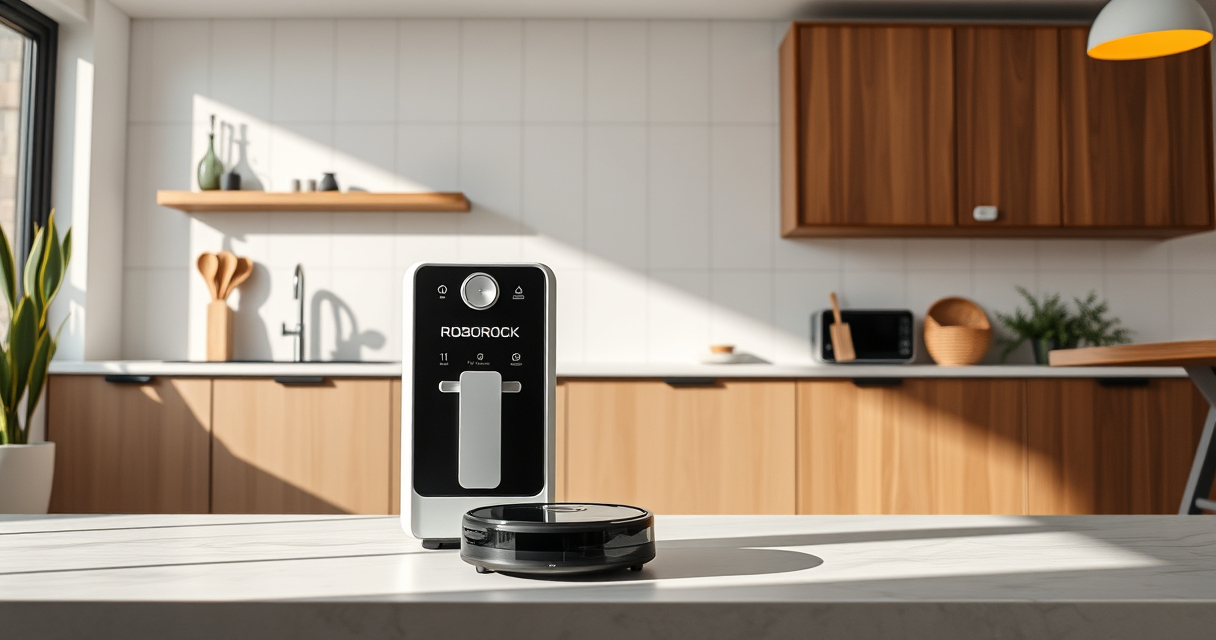
Getting your new Roborock Q7 M5+ ready for action is straightforward if you follow the right steps. This guide will walk you through the setup process, from unboxing to connecting the app, so you can enjoy a cleaner home with minimal hassle.

Get cleaning gear delivered free with Prime
- Fast, free delivery on millions of items
- Prime Video, Amazon Music and more included
- Member-only deals all year
Proper setup ensures your robot performs at its best, helps avoid common issues, and prolongs its lifespan. Let’s get started with everything you need to know for a smooth setup.
Key Takeaways
| Ease of setup | Follow clear steps for quick installation. |
| App control | Connect via the Roborock app for full features. |
| Maintenance | Learn how to empty and replace filters. |
| Troubleshooting | Identify and fix common issues easily. |
Unbox and Inspect Your Roborock Q7 M5+
- Carefully remove the robot vacuum and accessories from the packaging.
- Check for any visible damage and ensure all components are present: the main unit, charging dock, power cable, and accessories.
Charge Your Robot Fully
- Place the robot on its charging dock, ensuring contact points align properly.
- Connect the dock to a power outlet and allow the robot to charge until fully powered, indicated by the app or the robot’s status lights.
Download and Set Up the Roborock App
- Download the Roborock app from your device’s app store.
- Create an account or log in.
- Follow the in-app instructions to add your Q7 M5+ robot by selecting the model and connecting via Wi-Fi.
Configure Your Cleaning Preferences
- Set your cleaning schedule, select cleaning modes, and customize mop or vacuum settings within the app.
- Ensure the dust bag in the self-empty dock is installed correctly for up to 7-9 weeks of cleaning.
Perform a Test Run and Final Checks
Start a test cleaning cycle via the app to confirm the robot navigates correctly and performs as expected. Check for obstacles or issues, and adjust settings if needed.
The Products in This Guide

roborock Q7 M5+ Robot Vacuum and Mop
- ✔ Weight: 7.7 kg
- ✔ Dimensions: 35.2 x 35.2 x 9.6 cm
- ✔ Battery Life: Up to 150 mins

4 Pack Washable Filter
- ✔ Pack Size: 4 filters
- ✔ Material: HEPA washable
- ✔ Compatibility: Multiple Roborock models
roborock Q7 M5+ Robot Vacuum and Mop
The Roborock Q7 M5+ offers powerful suction, advanced navigation, and a self-empty dock, making it ideal for busy households with pets. Its dual anti-tangle system and app control streamline your cleaning routine.
Pros:
- Up to 7-9 weeks of self-emptying
- 10000Pa strong suction
- PreciSense LiDAR navigation
- App control for customization
Cons:
- Higher initial cost
- Requires Wi-Fi setup
- Self-empty dock is bulky
Best for: Pet owners and busy households needing deep cleaning
Not ideal for: Homes without Wi-Fi or those preferring manual vacuums
Bottom line: A high-performance robot ideal for pet hair and deep cleaning, with long-lasting self-emptying convenience.
4 Pack Washable Filter
This 4-pack of washable HEPA filters is a perfect addition to your Roborock Q7 M5+ for maintaining optimal air filtration and suction performance over time.
Pros:
- Reusable and washable
- Compatible with multiple models
- Helps maintain suction power
- Easy to install
Cons:
- Requires regular cleaning
- Not OEM but comparable quality
- Replacement needed every few months
Best for: Prolonging filter life and maintaining air quality
Not ideal for: Users preferring disposable filters
Bottom line: A cost-effective way to keep your vacuum’s filtration system in top shape.
Frequently Asked Questions
How do I connect the Roborock Q7 M5+ to Wi-Fi?
Download the Roborock app, create an account, and follow the in-app instructions to add your device by selecting your model and connecting to your Wi-Fi network.
Can I use the robot without the app?
While basic cleaning can be started manually, the app provides essential features like scheduling, mapping, and customizing cleaning modes for optimal performance.
How often should I empty the self-empty dock?
The self-empty dock can last up to 7-9 weeks before needing to be emptied, depending on your usage and debris load.
What should I do if the robot gets stuck or encounters obstacles?
Use the app to check the map and obstacle alerts. Clear any debris or obstacles from the robot’s path and ensure the navigation sensors are clean.
Your Path to Effortless Cleaning Starts Here
Setting up your Roborock Q7 M5+ correctly ensures you get the most out of its powerful features and advanced navigation. Regular maintenance and proper app configuration will keep your home spotless with minimal effort. Enjoy the convenience of a cleaner, pet-friendly home with your new robot vacuum and mop!
Affiliate disclosure: As an Amazon Associate we earn from qualifying purchases. Prices and availability are accurate as of the time of publishing.
Halloween Picks
halloween
As an affiliate, we earn on qualifying purchases.