Robot Vacuum Cleaners: A Cyber Monday Guide
AIThis post was created with the assistance of artificial intelligence (AI).

TL;DR

Robot vacuum cleaners automate routine floor cleaning by navigating rooms, collecting debris, and, in some models, damp-mopping hard floors. They work best on reasonably clear floors and can reduce daily upkeep, but they still need maintenance and usually cannot replace a traditional vacuum for stairs, upholstery, tight corners, or deep cleaning.

A robot vacuum can glide under the sofa while you make coffee, then stop cold at a charging cable left across the hallway. That small scene captures both the appeal and the limit of these machines: they can take routine floor care off your list, but they still have to work with the home you give them. Robot vacuum cleaners have evolved from simple bump-and-turn devices into connected home appliances that can map rooms, avoid some obstacles, empty their own bins, and mop hard floors. In this article, you’ll learn how those features work, where they help, what still needs your attention, and which details matter when you compare a model with your own floors, rugs, pets, and budget. The goal is a cleaner routine, not a promise that one machine will handle every mess.
At a glance
Robot Vacuum Cleaners: What They Can Really Do
Key insight
A robot vacuum’s useful coverage depends on more than its advertised runtime: floor layout, navigation, obstacles, suction settings, and whether it can recharge and resume all affect how much of your…
Key takeaways
1

Use mapping and no-go zones to guide the robot around rooms, rugs, and pet bowls, but clear loose cables before each run.

2

Expect the strongest results on open, regularly cleaned floors; keep a traditional vacuum for stairs, upholstery, corners, and deep cleaning.

3

Treat combo mops as tools for light hard-floor upkeep, not as replacements for scrubbing sticky spills.

4

Compare dock features and ongoing costs, including bags, filters, brushes, pads, and batteries.

5

Check the robot’s route, floor compatibility, and maintenance needs in your own home before judging whether it suits you.

Step by step
1
A Simple Routine Keeps Your Robot Cleaning Instead of Stalling
A robot vacuum works more reliably when you prepare the floor, set a sensible route, and check the parts that collect dirt.
Before you orderOffer from Amazon

Get cleaning gear delivered free with Prime

  • Fast, free delivery on millions of items
  • Prime Video, Amazon Music and more included
  • Member-only deals all year
Start your free Prime trial Free trial for eligible customers · Cancel anytime
As an affiliate, we earn on qualifying purchases.

How Robot Vacuum Cleaners Find Their Way Around Your Home

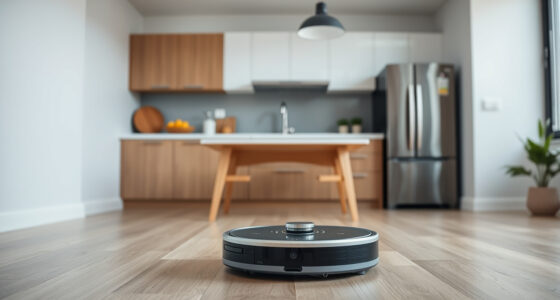
Robot vacuum cleaners use sensors and navigation systems to move through rooms and collect floor debris. Basic models bump into obstacles and change direction, while more advanced machines use lasers, cameras, or other sensors to build maps and plan routes. Mapping can help you choose rooms, set schedules, and mark no-go zones in an app. The practical benefit is not simply a neater-looking route: a robot that remembers where it has been can avoid spending its limited battery repeatedly crossing the same patch, leaving more time for areas it has not reached. It may also let you target one room after a meal instead of cleaning the whole home each time. Imagine a robot cleaning an open kitchen and living room. A bump-and-turn model may cover the same strip several times while missing a patch behind a chair; a mapper can follow more orderly passes and return to named rooms. That map acts like a rough floor plan in the robot’s memory, but accuracy and features vary by model. Furniture changes, moved chairs, and closed doors can make the stored plan imperfect, so a map is a starting point for navigation rather than a guarantee of complete coverage. Room selection is most useful when the layout stays reasonably consistent. Some robots can recognize objects such as shoes or cables, yet obstacle avoidance has limits. Small, dark, reflective, or unfamiliar objects may still get caught under a brush or wheel. A charging cable on pale tile might be easy to spot for one model and nearly invisible to another, so clearing loose items remains the reliable way to reduce snags. This affects more than convenience: a caught brush can halt a run, and an object dragged across a room can create a mess or block the robot’s route. Treat recognition as a way to reduce interruptions, not as permission to leave every small item on the floor. App controls can make mapping practical: you might schedule the kitchen after breakfast and keep the robot out of a room where a baby is napping. Before buying, check whether the features you care about need Wi-Fi, a cloud account, or a camera, and review the maker’s privacy settings. A map is useful, but it can also reveal details about how your rooms are arranged. The tradeoff is between more control and more dependence on software: if a feature requires an app or connection, find out what basic cleaning the robot can still do when that service is unavailable.

Products Worth Considering

Ring Battery Doorbell Plus – Home or Business Security with Head‑to‑Toe HD+ Video, Motion Detection & Alerts, Two‑Way Talk

Ring Battery Doorbell Plus – Home or Business Security with Head‑to‑Toe HD+ Video, Motion Detection & Alerts, Two‑Way Talk

Philips Hue Festavia 130-Foot Indoor/Outdoor Smart String Lights, 500 LEDs

Philips Hue Festavia 130-Foot Indoor/Outdoor Smart String Lights, 500 LEDs

As an affiliate, we earn on qualifying purchases.

What Robot Vacuum Cleaners Pick Up Well—and Where They Struggle

Robot vacuum cleaners are best at frequent maintenance cleaning on open floors, and results depend on floor type, debris, suction, brushes, and airflow. The distinction between maintenance and deep cleaning matters: regular passes can stop loose dust and crumbs from accumulating, so a room stays more comfortable between bigger cleans. But a small robot has limited reach and collection capacity, so one pass may not lift embedded dirt or reach the edges and corners where it gathers. Frequent cleaning can compensate for modest capacity by collecting debris before it gets ground in; it cannot make a small brush reach behind furniture or give the machine the weight and tools used for a thorough carpet clean. Take a home with tile in the kitchen, low-pile rugs in the living room, and a dog that sheds. A scheduled run can gather fur and grit before they spread, making the floor feel less crunchy under bare feet. Long hair may still wrap around the brush roll, and a small onboard bin can fill quickly when shedding picks up. That means frequent runs can improve the result while also making brush checks and bin or dock maintenance more important. If the bin fills mid-run, the robot may stop or carry less debris on later passes; a self-emptying dock can reduce that interruption, but adds bags and another component to maintain. In a shedding household, the useful comparison is therefore not just pickup power, but how often the machine needs attention to keep that pickup consistent. The table below shows common tradeoffs. Your result depends on the robot’s design and your specific surfaces, so check the maker’s guidance for rugs, thresholds, and carpet height before relying on a particular feature. A listed capability describes what the model can attempt; the shape and condition of your actual floors determine whether it can do so reliably.
Home featureWhat a robot may handleWhat to check
Hard floorsRegular dust, crumbs, and loose hairEdge reach and debris pickup
Low-pile rugsRoutine surface cleaningCarpet detection and rug grip
Thick rugs or fringePotentially uneven or snag-prone cleaningHeight limits and no-go options
Stairs and upholsteryUsually outside the robot’s reachPlan for a separate vacuum
Think of a robot as a steady floor-care helper rather than a full replacement for every cleaning tool. You may still want a standard vacuum for stairs, sofa cushions, corners, and a deep clean after a spill. A home with clear, mostly level floors is likely to get more from a robot than one with dense clutter and tall thresholds, because each obstacle or inaccessible area reduces the portion of the home it can clean without help. The time saved depends on the share of your routine that is automated: if the robot handles the broad, repeatable floor areas, occasional manual cleaning may feel lighter; if most rooms require moving obstacles or rescuing it, setup can consume the time it was meant to save.

When a Robot Vacuum and Mop Combo Makes Sense

A robot vacuum-mop combination can help with light upkeep on hard floors by vacuuming debris and passing a damp pad over the surface. The order and type of cleaning matter: vacuuming collects loose grit first, while a damp pad can pick up a thin layer of dust left behind. It generally does not replace manual scrubbing, stain treatment, or a thorough mop after a sticky spill, and its exact capabilities depend on the model. The distinction is about the kind of work the tool applies: a robot’s pad makes repeated, relatively light contact as it travels, while scrubbing a stuck-on mark requires focused pressure and often cleaning solution. Repeated light passes are useful for preventing a thin film from building up, but they are a poor substitute for treating a specific mess. Picture a kitchen floor that collects a faint film of dust and a few dry footprints during the week. A combo robot with a water tank and mop pad may freshen that surface on a regular schedule. If someone spills juice and leaves a tacky patch, the robot’s damp pass is unlikely to do the job; you’ll need to clean the spot directly. Letting a robot pass over sticky residue can also spread it across a wider area, so the convenience of an automated schedule depends on the floor being suitable for a light maintenance pass. This is why a mop feature can save effort between proper cleans without changing how you should respond to spills: spot-clean first, then let the robot handle routine dust. Newer designs may use vibrating pads, rotating mop heads, or docks that wash and dry pads. Some lift the mop over carpet, which can make mixed flooring easier to manage, but these features vary. Check whether the robot can detect rugs, whether mop lifting works at the height of your carpet, and how the dock handles dirty water. Mop washing reduces the need to rinse pads by hand, while adding water tanks and cleaning cycles that themselves need attention. An automatic dock may reduce hands-on work while adding tanks, pads, and parts to maintain. A dock that washes a pad cannot make an unsuitable floor or cleaning method suitable; it mainly changes how much manual rinsing is involved and how much equipment occupies the home. For example, if your flat has hard flooring throughout, a simple damp-pad model may suit your routine. If you have a large rug beside the kitchen, carpet detection and mop lifting may matter more than a fancier pad motion. Match the feature to the mess you actually have; a premium mop system adds little value if your main problem is pet hair on carpet. Before paying for a more elaborate dock, consider whether you will use its extra cleaning cycles often enough to justify the space, water handling, and ongoing care.

A Simple Routine Keeps Your Robot Cleaning Instead of Stalling

A robot vacuum works more reliably when you prepare the floor, set a sensible route, and check the parts that collect dirt. A self-emptying dock reduces how often you empty the onboard bin, but it does not remove the need to clean brushes, filters, wheels, sensors, or mop parts. These checks affect performance as well as reliability: hair can stop a brush from turning freely, while a dirty filter can restrict airflow and reduce how much dust the vacuum collects. In other words, maintenance is part of the cleaning system. Skipping it can make the robot seem underpowered even when the problem is simply a clogged path for air or debris. Try this setup before the first full run:
  1. Clear loose obstacles. Pick up charging cords, socks, and small toys; they can snag brushes or stop a wheel.
  2. Map one area first. Start with a clear room so you can see where the robot gets stuck or misses an edge.
  3. Set boundaries and timing. Mark a rug, pet bowl, or play area as a no-go zone if the app supports it, then schedule around busy times.
  4. Check the cleaning path. After the run, look under a chair and along a wall to spot places the robot could not reach.
  5. Inspect parts on a regular schedule. Remove wrapped hair, clear the filter as directed, wipe sensors, and wash or replace mop pads as the manual specifies.
For example, a household with a shedding cat might empty the dock bag more often than a home with a single short-haired adult, and check the brush roll every few runs. The schedule depends on how much dirt and hair the robot collects. A clogged filter or hair-bound roller can turn a quiet daily helper into a machine that leaves grit behind, so follow the maintenance instructions for your model. The dock changes which task needs attention most: with self-emptying, you may empty the dust less often but still need to monitor the dock bag and clean the parts that touch the floor. Checking after early runs helps you set a realistic routine for your home: a clean, low-traffic room may need little intervention, while pet hair or grit near an entry can call for more frequent checks. The goal is a small repeatable habit, since waiting until pickup noticeably declines can mean the robot has already been doing less useful work for several runs.

What to Compare Before You Spend Your Money

The right robot vacuum is the one that fits your floors, layout, and cleaning expectations, not the one with the longest feature list. Compare navigation, debris pickup, obstacle handling, dock design, mop features, app controls, replacement-part costs, warranty, and how the machine behaves when Wi-Fi is unavailable. Each choice changes the balance between convenience, cost, and how much help the robot needs from you. It helps to rank these factors by the failure you most want to avoid: missed rooms point to navigation and route planning, repeated tangles point to brush design and obstacle handling, and frequent bin emptying points to capacity or dock design. Imagine two buyers. One lives in a compact flat with clear hardwood floors and wants crumbs picked up each evening; a basic mapper with a modest bin may do the job. The other has a large home, several rugs, a dog, and long hair in the household. They may value carpet handling, a tangle-resistant brush, a larger or self-emptying dock, and the ability to recharge and resume more than a flashy app feature. The second setup may cost more up front, but it addresses the practical reasons the robot could otherwise stop early or need frequent intervention. The comparison shows why a higher price is useful only when it buys down a real inconvenience in your home; features that do not address your floors or routine add cost without necessarily adding value. Runtime alone does not tell you whether a robot will finish the home in one run. Coverage also depends on the floor plan, obstacles, suction setting, and route planning. Many models can recharge and resume, but a divided or large house may take more than one session. That can still be useful if the robot reliably returns to the unfinished area; it matters less if you expect a single uninterrupted clean. Check the maker’s specifications and software support for the exact model you plan to buy, since product features change quickly. A longer advertised runtime can be less useful than dependable room mapping if the robot spends time retracing its path, while high suction may shorten a run but improve pickup on carpet. Consider what completion means for you: one pass through the main rooms, or a thorough clean across every floor surface. Remember to price the upkeep, too. Replacement bags, filters, brushes, mop pads, and batteries can add to the purchase price over time. A low initial price may be less appealing if the parts are hard to find or need frequent replacement, while a larger dock can trade more convenience for more consumables and space. Before checking out, ask whether the robot can cross your thresholds, reach beneath your furniture, and clean your thickest rug. Those plain details often matter more than a feature you may never use. Looking at total ownership effort alongside price gives a more useful comparison: the best fit is the model whose recurring costs and maintenance suit the routine you actually expect to keep.

How to Decide Whether a Robot Vacuum Fits Your Home

A robot vacuum is a good fit when it can travel freely through the rooms you want cleaned and its everyday pickup matches your expectations. Clear routes, manageable transitions between floor types, and a place for the dock can help it do useful work; clutter, cables, thick rugs, and loose fringe can limit its coverage. The practical question is how much of the routine cleaning it can complete on its own, since a robot that needs constant rescue may save less time than its schedule suggests. Think of coverage as a fraction of the floors you care about, not the total area printed on a floor plan: inaccessible spaces and blocked routes do not become clean just because the robot has a long runtime. Try a practical test in your head: could the robot move from the dock to the kitchen without crossing a high threshold, squeezing past a floor lamp, or getting tangled in cords? If not, a few changes—routing a cable along the wall or moving the dock to a more open spot—may help. If your floor plan has many steps, narrow corners, or packed rooms, you may need to tidy before each run or use the robot only in selected areas. Those adjustments can be worthwhile if they are small and repeatable; if they become a daily chore, they erode the convenience you hoped to gain. A short trial in one room can reveal whether the obstacles are occasional and easy to fix or built into the layout, which is more informative than judging the machine from advertised coverage alone. A robot can also help when your schedule makes frequent light cleaning hard to keep up with. For someone who works from home, a timed run while they take a walk may keep crumbs from building up under the dining table. For someone who wants spotless corners and deep carpet cleaning every time, the robot may disappoint unless they keep a traditional vacuum in the mix. Matching expectations to the machine’s reach is what makes the time it saves feel real rather than shifting the work into setup and touch-ups. The benefit is greatest when the robot takes over a repetitive task that would otherwise be skipped; it is smaller when you already clean frequently or when the robot’s limits overlap with the areas you care about most. The most useful question is not whether a robot can clean a whole home in theory. Ask whether it can repeatedly clean the floors you care about with a level of setup and maintenance you’ll accept. That answer will tell you more than a headline runtime or a long list of smart features.

Frequently Asked Questions

Do robot vacuums clean well enough to replace a regular vacuum?

A robot can handle frequent maintenance cleaning on open floors, but it usually cannot replace a traditional vacuum for stairs, upholstery, tight corners, heavy debris, or occasional deep cleaning. For example, it might pick up daily crumbs in the kitchen while you use a regular vacuum on the stairs.

Can robot vacuums clean carpets and rugs?

Many models clean low- or medium-pile carpets, but performance varies. Thick rugs, loose fringe, and tall transitions can cause problems, so check the model’s supported surfaces and carpet features before buying.

Will a robot vacuum avoid cables, toys, and pet waste?

Some models recognize common obstacles, but avoidance is not guaranteed, especially for small, dark, reflective, or unfamiliar items. Picking up cables and toys before a run remains the most dependable way to prevent snags.

Are robot vacuum-mop combinations effective?

They can help with light, regular upkeep on hard floors, such as dust or faint footprints. Their damp pads generally do not replace manual scrubbing or spot treatment for sticky spills.

How much maintenance does a robot vacuum need?

You still need to check its brushes, filters, wheels, sensors, dustbin, and mop parts from time to time. A self-emptying dock cuts down on bin emptying, but it does not take care of every component.

Do robot vacuums work without Wi-Fi?

Many models can start basic cleaning with a physical button, while maps, room selection, schedules, and other controls may require an app or network connection. Check the exact model’s offline features if you want to use it without Wi-Fi.

What should I check before buying a robot vacuum?

Compare cleaning on your floor types, mapping, obstacle handling, dock design, mop features, app and privacy settings, replacement-part costs, and warranty. Also check whether the robot can cross your thresholds and fit beneath your furniture.

Conclusion

Choose a robot vacuum for the routine it can realistically handle in your home: frequent upkeep on accessible floors. Check the thresholds, rugs, cables, dock space, and replacement parts before you buy, then keep up with the brush and filter checks that protect its cleaning performance. A good robot won’t make every floor spotless; it can make the everyday dust and crumbs feel less like a second job. Let it take the steady laps, and keep a regular vacuum nearby for the corners it cannot reach.
You May Also Like

Best Bissell Carpet Cleaner for Stairs (2026) — Guide 12

Discover the top Bissell cleaning appliances in 2026. Find the best overall, budget-friendly, and specialized options for your cleaning needs.

Is the Roborock Qrevo Curv Worth It? Honest Review

An honest review of the Roborock Qrevo Curv, highlighting its features, pros, cons, and whether it’s the right robot vacuum for your home.

Are Dyson Vacuums Worth It? Exploring Their Value

Discover the true value of Dyson vacuums as we assess their features, suction power, and reliability against the cost. Are Dyson vacuums worth it? Find out.

Charging Docks and Handheld Vacuum Storage

Discover the top handheld vacuum with charging dock in 2026. Find the best for your needs, from overall picks to budget-friendly options and premium models.