
To keep your robot vacuum working smoothly, regularly clean the sensors with a soft, dry cloth to prevent obstructions. Check and remove hair and debris from the wheels, and lubricate axles with silicone spray for smooth movement. Inspect the base station for dust and clean contacts to guarantee reliable charging. Proper maintenance boosts performance and longevity—continue exploring ways to optimize your vacuum’s care for the best results.
Key Takeaways
- Regularly clean sensors with a soft, dry cloth to prevent obstructions and ensure accurate obstacle detection.
- Check and remove debris from wheels and axles, lubricate with silicone spray for smooth movement.
- Inspect and empty the dustbin after each use to maintain suction power and prevent motor strain.
- Keep the charging contacts and base station free of dust and debris for reliable recharging.
- Monitor battery health and avoid full discharges to extend overall battery lifespan and device performance.

Have you ever wondered how robot vacuums navigate your home so efficiently? It all comes down to the sophisticated combination of sensors, wheels, and their docking stations working seamlessly together. But to keep these devices performing at their best, proper maintenance is essential. A vital aspect of this is understanding how to care for their sensors, wheels, and base station, which directly impacts their cleaning effectiveness and longevity.
When it comes to sensors, they serve as the robot’s eyes and ears, helping it detect obstacles, avoid falls, and map your space. Over time, dust, dirt, and debris can accumulate on these sensors, impairing their functionality. Regularly cleaning them with a soft, dry cloth ensures they stay clear of obstructions. This way, your robot can accurately detect furniture, walls, and drop-offs, preventing unnecessary collisions or falls. Neglecting sensor maintenance can lead to inefficient cleaning paths, missed spots, or even the robot getting stuck. So, make it a habit to inspect and clean sensors weekly, especially if your home tends to be dusty or pet-friendly.
Regularly clean sensors weekly to ensure accurate obstacle detection and prevent the robot from getting stuck.
The wheels are another essential component because they enable smooth movement across different surfaces. Dirt, hair, and debris can get lodged in the wheels or axles, causing sluggish movement or uneven navigation. To prevent this, regularly check and remove tangled hair or debris from the wheels and their housing. Lubricating the axles with a small amount of silicone spray can also help maintain smooth rotation. Properly maintained wheels allow your robot to transition effortlessly between carpets, tiles, and hardwood floors, ensuring comprehensive cleaning coverage. When wheels are neglected, your vacuum may struggle to reach certain areas or drain battery life faster due to increased motor resistance. Additionally, advances in AI algorithms facilitate smarter navigation, making sensor and wheel maintenance even more critical for optimal performance.
Speaking of battery life, it’s essential to monitor your robot’s battery health and charging habits. Over time, batteries lose capacity, which reduces cleaning time per charge. To maximize battery longevity, avoid letting the battery fully deplete regularly and always use the recommended charger. Additionally, the dustbin capacity is a key factor in how often you’ll need to empty it. A full dustbin can strain the vacuum’s motor, reduce suction power, and lead to inefficient cleaning. Make it a point to check and empty the dustbin after each session or when it reaches the designated fill line. Keeping the dustbin clean prevents odors, mold, and debris buildup, ensuring your robot maintains strong suction and cleaning performance.
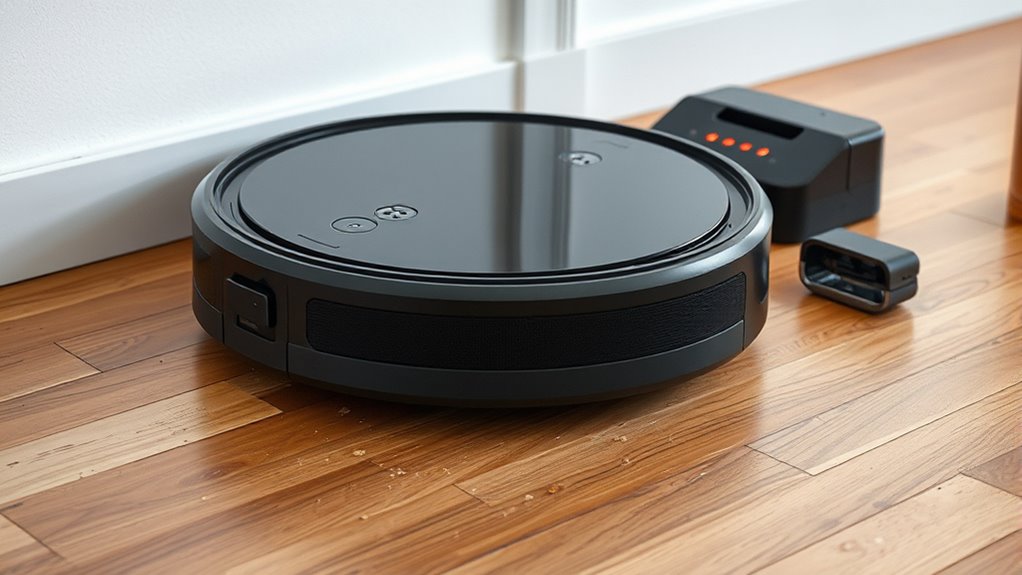
Finally, your robot’s base station requires regular upkeep—checking for dust, debris, and ensuring the charging contacts are clean. A well-maintained station guarantees quick, reliable recharging, so your vacuum is always ready for its next round. By paying attention to sensors, wheels, battery health, dustbin capacity, and the base station, you’ll keep your robot vacuum running smoothly and efficiently, saving you time and effort while maintaining a cleaner home.

Midukit Vacuum Attachments Accessories for Robot Vacuum Cleaner,Cleaning Brush roll Cleaning Tool Replacement Parts, Part kit Tool for Vacuums Cleaner Replacement Include Vacuum Cleaning Cloth
Midukit vacuum cleaning kit for robot, dyson. Vacuum cleaning tool includes Cleaning Brush, tweezers, screwdriver (Phillips, Slotted), double-end…
As an affiliate, we earn on qualifying purchases.
As an affiliate, we earn on qualifying purchases.
Frequently Asked Questions
How Often Should I Replace the Sensors on My Robot Vacuum?
You should replace your robot vacuum’s sensors when you notice calibration issues or decreased performance, usually every 6 to 12 months. Regularly cleaning the sensors helps maintain accuracy, but if cleaning doesn’t improve navigation or detection, it’s time for replacement. Keep an eye on manufacturer recommendations for replacement frequency, and perform sensor calibration as needed to ensure your vacuum operates efficiently and avoids obstacles.
Can I Upgrade the Wheels for Better Performance?
Yes, you can upgrade the wheels for better performance. Think of wheel upgrades as giving your robot vacuum a fresh pair of shoes—improving traction, maneuverability, and obstacle navigation. By choosing performance improvements suited to your model, you’ll likely see smoother, more efficient cleaning. Just guarantee compatibility with your vacuum’s specifications, and you’ll enjoy a more agile device that tackles your home’s messes with ease.
What Maintenance Is Required for the Charging Base Station?
You should regularly clean the charging contacts and make certain the base station is free of dust and debris. Check for firmware updates to keep the system running smoothly, and replace the battery if you notice charging issues or reduced performance. Keep the base station in a stable, unobstructed location to ensure reliable charging, and follow the manufacturer’s guidelines for any maintenance or upgrades needed to extend its lifespan.
How Do Sensors Impact the Vacuum’s Navigation Accuracy?
Sensors play a vital role in your robot vacuum’s navigation accuracy. When properly calibrated, they detect obstacles effectively, preventing collisions and guiding the vacuum smoothly around furniture. Regular sensor calibration guarantees obstacle detection remains precise, especially after bumps or extended use. By maintaining accurate sensors, you help your vacuum navigate efficiently, clean thoroughly, and avoid mishaps, keeping your home tidy and your device functioning at its best.
Are There Compatibility Issues With Different Base Station Models?
Compatibility issues with different base station models can arise, but most modern robot vacuums are designed for seamless model synchronization. While some brands or older models may struggle with certain stations, newer systems often feature universal connectivity. You should check the manufacturer’s specifications to guarantee your vacuum supports your base station. This way, you avoid frustrations and enjoy smooth operation, no matter which model or brand you choose.

Cleaning Tool Kits, Hair Removal Tools for Vacuums Wheels (Long Hair, Pet Hair Wrapping)
For removing the tangled hair, carpet fibers on the alexs of brushrolls and soleplate wheels
As an affiliate, we earn on qualifying purchases.
As an affiliate, we earn on qualifying purchases.
Conclusion
Regularly maintaining your robot vacuum ensures it works efficiently. For instance, if you neglect to clean sensors or check wheels, it might miss spots or get stuck. Imagine a homeowner whose vacuum suddenly stopped maneuvering properly — a quick sensor clean restored its performance. By staying proactive with simple upkeep, you extend your vacuum’s lifespan and keep your floors spotless, saving you time and hassle in the long run.

Tweruna 4 PCS Handheld Vacuum Cleaner Brush, Universal Dust Brush, 2 in 1 Vacuum Roller Cleaning Tool for Sweeping Robot
Package Includes: You will receive 4 pcs handheld vacuum cleaner brushes in 2 different styles, perfect for universal…
As an affiliate, we earn on qualifying purchases.
As an affiliate, we earn on qualifying purchases.

B’laster Silicone Lubricant Spray – Non-Staining Silicone Spray for Metal Parts – Long-Lasting Protection, Reduces Friction & Wear – Works on Metal, Rubber & Plastic – 11 oz (Case of 6)
LONG-LASTING SILICONE LUBRICATION – This silicone spray is designed to deliver smooth, long-lasting lubrication that reduces friction, eliminates…
As an affiliate, we earn on qualifying purchases.
As an affiliate, we earn on qualifying purchases.